


Usage4Claude
1 like
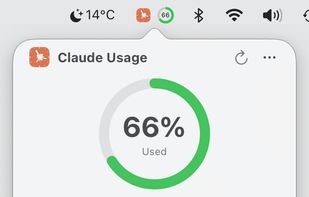
Monitor your Claude AI 5-hour/7-day usage quota in real-time from your macOS menu bar.

Cost / License
- Free
- Open Source (MIT)
Platforms
- Mac


Features
Usage4Claude News & Activities
Highlights All activities
Recent activities
 Hey B added Usage4Claude as alternative to Token Pacer
 Paul added Usage4Claude as alternative to CodeBurn
 Vasyl Hleba added Usage4Claude as alternative to AI Limits
- muhammetsanverdi added Usage4Claude as alternative to CapMeter
 Pivio added Usage4Claude as alternative to Pivio
 onekapisch added Usage4Claude as alternative to Tokens 4 Breakfast
 erayendes added Usage4Claude as alternative to mimir - ai usage tracker
 Paul added Usage4Claude as alternative to Claudy
 Paul added Usage4Claude as alternative to Pulse for Claude Code, Claude Pulse, Claude-Pulse, Claude Pulse Extension and 5 more
 avishshah1108 added Usage4Claude as alternative to ClaudeKit


Usage4Claude information
Developed by
f-is-hLicensing
Open Source (MIT) and Free product.Written in
Alternatives
31 alternatives listedBadge
Get an embeddable badge for Usage4ClaudeSupported Languages


No comments or reviews, maybe you want to be first?