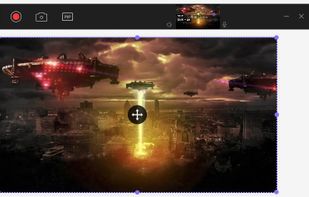
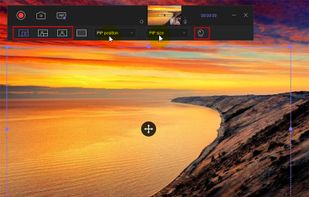
Grab screenshots in a stealth mode, and start the capturing process at a user-defined time with the help of this simple to use and efficient software tool.
Cost / License
- Free
- Proprietary
Application types
Platforms
- Windows


TechSmith Capture is described as 'Provides a simple, free way to create basic screenshots and screen recordings and share them with others' and is a screenshot capture tool in the photos & graphics category. There are more than 100 alternatives to TechSmith Capture for a variety of platforms, including Windows, Mac, Web-based, Linux and Google Chrome apps. The best TechSmith Capture alternative is ShareX, which is both free and Open Source. Other great apps like TechSmith Capture are Greenshot, SimpleScreenRecorder, Snipping Tool and PicPick.
Grab screenshots in a stealth mode, and start the capturing process at a user-defined time with the help of this simple to use and efficient software tool.


Meet MiniSnip, the smallest and fastest way to capture your screen and extract text with OCR on Windows. Open-source, feather-light, uses minimal resources, and stays completely out of your way.
Just one hotkey (Ctrl+Shift+C) is all you need to start.

Versatile screen recording and live streaming tool, broadcasting to over 30 platforms. Enhances streams with stickers, templates, and images. Supports lectures and games, offers scheduled recording and operates as a virtual camera for meetings.


Screencast Capture Lite is a tool to continuously capture the desktop screen, storing this information in video files. The application supports recording from the primary screen, from a chosen window or from a fixed region.

Monosnap allows you to save screenshots easily, conveniently, and quickly, sharing them with friends and colleagues at once.


SnapNDrag makes taking screenshots super easy. Click, select and the screenshot is added to your library. SnapNDrag maintains a library of all the screenshots you have ever taken. Think of it as iPhoto for screenshots.


A Chrome extension for capturing, editing and sharing screencasts. Save recordings automatically to your Google Drive or publish directly to YouTube.


Record full screen or customized areas with webcam options. Annotate in real time, highlight cursor actions, and record both system and voiceover audio. Ideal for creating instructional videos, webinars, and presentations. Free for personal use, compatible with PCs.


puush is a super-quick way to share screenshots and files. Quickly capture any portion of your screen, upload any file, and share them with a short URL automatically placed in your clipboard. Share them with the world or make them private, for your eyes only.


MWSnap is a small yet powerful Windows program for snapping (capturing) images from selected parts of the screen.


oCam is a video recording program that can record video to be played on the monitor via your PC.