Taskwingo icon
Taskwingo icon

Taskwingo

Taskwingo is a fully offline, privacy-first desktop task manager. All your data stays on your machine — no accounts, no cloud, no subscriptions. It supports multiple profiles on a single PC, making it perfect for managing different identities, clients, or projects without mixing...

Taskwingo screenshot 1

Cost / License

  • Free
  • Open Source (MIT)

Platforms

  • Windows
0likes
0comments
0articles

Features

Properties

  1.  Support for Themes
  2.  Privacy focused

Features

  1.  No Tracking
  2.  Works Offline
  3.  Recurring Tasks
  4.  Ad-free
  5.  Subtasks
  6.  No registration required
  7.  Reminders
  8.  Dark Mode
  9.  Set deadlines
  10.  Attachments

Taskwingo News & Activities

Highlights All activities

Recent activities

Taskwingo information

  • Developed by

    Gitwingo
  • Licensing

    Open Source (MIT) and Free product.
  • Written in

  • Alternatives

    51 alternatives listed
  • Supported Languages

    • English

AlternativeTo Category

Office & Productivity

GitHub repository

  •  3 Stars
  •  0 Forks
  •  0 Open Issues
  •   Updated  
View on GitHub
Taskwingo was added to AlternativeTo by Paul on and this page was last updated .
No comments or reviews, maybe you want to be first?

What is Taskwingo?

Taskwingo is a fully offline, privacy-first desktop task manager. All your data stays on your machine — no accounts, no cloud, no subscriptions. It supports multiple profiles on a single PC, making it perfect for managing different identities, clients, or projects without mixing things up.

Features

Task Management

  • Create, edit, delete, and reorder tasks with drag-and-drop
  • Priority levels — Urgent, High, Medium, Low — with color indicators
  • Status tracking — To Do, In Progress, Done — toggle directly from the task card
  • Deadlines with overdue and upcoming visual warnings
  • Reminders with desktop notifications
  • Recurring tasks — Daily, Weekdays, Weekly, Monthly
  • Tags for flexible labeling and filtering
  • Subtasks with progress tracking
  • Rich text notes — bold, italic, underline, bullet lists, numbered lists, headings
  • File attachments — images, PDFs, videos, audio, Word docs, spreadsheets

Organization

  • Projects — group tasks under color-coded projects
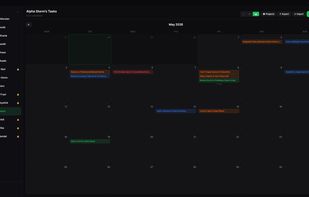
  • 3 views — List, Kanban board, Calendar
  • Filters — filter by priority, status, project, search, and sort order
  • Export — CSV, JSON, HTML report, or full profile bundle
  • Import — import tasks from JSON

Profiles

  • Create multiple independent profiles on one PC
  • Per-profile avatar, bio, and saved links
  • PIN lock per profile — set, change, or remove
  • Auto-lock after configurable idle time
  • Custom accent color per profile

App

  • 4 themes — Dark, Light, Night, Summer
  • Custom accent color (11 choices)
  • Minimize to system tray — app keeps running in the background
  • Window size and position remembered between sessions
  • Fully offline — no internet required, no telemetry

Official Links