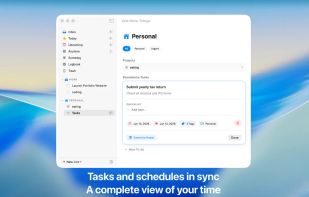
Nodoo is a task manager built around the GTD method, designed to help you shift your focus from managing tasks to actually completing them.
It provides a clear structure for capturing and organizing your work, allowing tasks to flow naturally through your day—from collecting ideas, to planning what matters today, to reviewing long-term goals over time.
Tasks in Nodoo are no longer just text. You can attach images directly to your to-dos, keeping context such as references, design materials, or on-site notes tightly connected to the work itself, reducing friction and information loss.
Whether for personal use or team collaboration, Nodoo keeps the same experience: clean, restrained, and unobtrusive. Multiple people can work together in real time within shared projects, with updates syncing instantly so progress stays aligned without complex workflows.
Nodoo runs natively on macOS and iOS, with seamless cross-device sync, offline support, and deep integration with Apple Reminders and Calendar. You can also migrate from Things 3 smoothly and continue your existing workflow.
Nodoo is not designed to add more management overhead, but to remove it.







 Dudu Studio

No comments or reviews, maybe you want to be first?