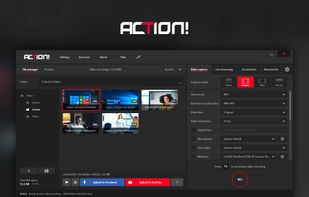
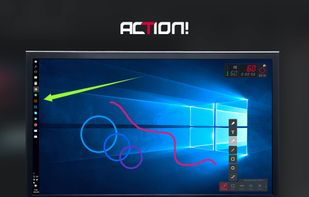
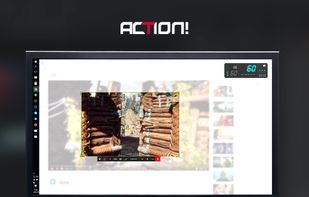
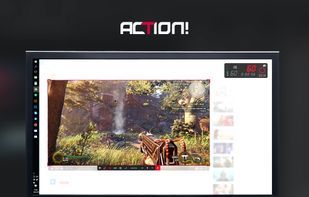
Action! enables HD, 4K, HDR10, and 8K streaming and recording, integrates fps displays, webcams, and live audio commentary. With overlays, monitoring tools, and benchmarking features, it offers a multifaceted solution for gaming capture.


Supercut is described as 'Transforms screen recordings into instantly shareable, branded videos with composite recording, auto-edit, customizable layouts, analytics, and team collaboration' and is a Screen Recorder in the video & movies category. There are more than 50 alternatives to Supercut for a variety of platforms, including Mac, Windows, Web-based, Google Chrome and Linux apps. The best Supercut alternative is ShareX, which is both free and Open Source. Other great apps like Supercut are OpenScreen, Recordly, ScreenArc and Bandicam.
Action! enables HD, 4K, HDR10, and 8K streaming and recording, integrates fps displays, webcams, and live audio commentary. With overlays, monitoring tools, and benchmarking features, it offers a multifaceted solution for gaming capture.


macOS tool for detailed screen recording, timeline-based video editing, customizable cursor animations, camera and audio capture, background editing, and easy sharing. Suitable for tutorials, presentations, or social media creation with a user-friendly workflow.


Open-source macOS screen recording app with auto-zoom, cursor effects, and timeline editing — Screen Studio alternative.


Easy and free screen recorder for Mac, Windows, and Chromebooks. Record your camera and screen with audio directly from your Chrome browser and share the video with your team, friends, and family.


Screen recorder featuring fluid mouse motion, intelligent zoom, motion blur, customizable backgrounds, dynamic title animations, and mesmerizing scene transitions. Instantly share, embed, or edit videos for demos, tutorials, and presentations.


Capture the contents of your entire desktop at the same time as your video camera, microphone and computer's audio. Sophisticated editing tools allow you to create incredible screencasts in no time.

Beautiful screenshots with stunning backgrounds and powerful annotation tools. Create, edit, and share professional-quality screenshots with ease.


Screenshot and screen recorder app for macOS. One app instead of four. Capture multiple windows, annotate, zoom, add transitions, and drop your recording onto a 3D MacBook with a simulated lens. Everything stays local.


Converts rough screen recordings into professional videos with AI-enhanced scripts, natural voiceovers, automated zoom, grammar correction, and generates step-by-step guides with screenshots and descriptions—no editing or technical background required.


ScreenTune is a macOS app for capturing, editing, and exporting screenshots and screen recordings. It lets users record a screen, window, or selected area, then adjust the result with backgrounds, padding, frames, rounded corners, shadows, cursor styling, annotations, text...