





Sofeh Music Studio
1 like
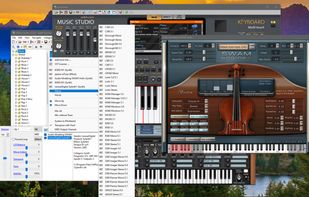
The best Windows app for performing music live! Create, Import, Play, Edit, and Export your Music, Rhythms, Instruments… Music Studio can be used as a standalone app or as a VST Plugin in other DAWs.

Cost / License
- Freemium (Pay once)
- Proprietary
Application type
Platforms
- Windows


Features
Highlights All activities
Sofeh Music Studio News & Activities
Recent activities
 zahra jafari added Sofeh Music Studio as alternative to Melodic Mind
 zahra jafari added Sofeh Music Studio as alternative to G-Stomper Studio, MOTU Digital Performer, Walk Band, Bandlab and 2 more
 zahra jafari added Sofeh Music Studio as alternative to KiraStudio, Waveform, Renoise, MAGIX Music Maker and 5 more
 zahra jafari added Sofeh Music Studio as alternative to Auria
 zahra jafari added Sofeh Music Studio as alternative to Stargate, MultitrackStudio, Spatial Symphony, n-Track Studio and 8 more
 zahra jafari added Sofeh Music Studio as alternative to Rosegarden, Studio One, AudioTool, MixPad and 1 more
- zahra jafari liked Sofeh Music Studio
- Paul updated Sofeh Music Studio
- zahra jafari added Sofeh Music Studio


Developed by
 Sofeh Sunrise
 Licensing
Proprietary and Freemium product.Pricing
One time purchase (perpetual license) that costs up to $50 + free version with limited functionality.Alternatives
44 alternatives listedBadge
Get an embeddable badge for Sofeh Music StudioSupported Languages


No comments or reviews, maybe you want to be first?