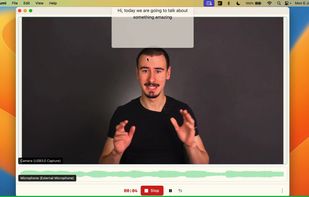
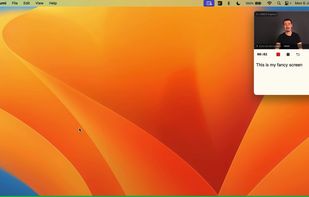
Screenshot and screen recorder app for macOS. One app instead of four. Capture multiple windows, annotate, zoom, add transitions, and drop your recording onto a 3D MacBook with a simulated lens. Everything stays local.


SlimSnap is described as 'Mac app that turns a screenshot into structured JSON instead of an image. It captures the screen, runs OCR locally, and outputs the text, elements, colors, and bounding boxes, so terminal AI coding agents (Claude Code, Aider, Codex CLI) can act on the exact element' and is a screenshot capture tool in the photos & graphics category. There are more than 50 alternatives to SlimSnap for a variety of platforms, including Mac, Windows, Web-based, Google Chrome and Mozilla Firefox apps. The best SlimSnap alternative is ShareX, which is both free and Open Source. Other great apps like SlimSnap are Greenshot, OpenScreen, Recordly and ScreenArc.
Screenshot and screen recorder app for macOS. One app instead of four. Capture multiple windows, annotate, zoom, add transitions, and drop your recording onto a 3D MacBook with a simulated lens. Everything stays local.


Intuitive screenshots baked right into the browser. Capture, save and share screenshots as you browse the Web using Firefox.
Capture full and partial screenshots, record screen or webcam videos with extensive editing tools, including annotations, video conversion to gif/mp4, and sharing options. Create step-by-step guides enhanced by AI, save in multiple formats, and utilize cloud storage integration.


Cursorful is a browser extension that creates beautiful screen recordings with zooms and pans that guide viewer focus.


Enhances your storytelling through animated screenshot, add gradient background, images or video. Whether for presentation, social media posts, or engaging content creation, VibrantSnap provides the tools to make your visuals stand out and immersive.


ScreenTune is a macOS app for capturing, editing, and exporting screenshots and screen recordings. It lets users record a screen, window, or selected area, then adjust the result with backgrounds, padding, frames, rounded corners, shadows, cursor styling, annotations, text...


Enables screen and webcam capture, detailed video and screenshot editing, organized meeting notes, AI-powered transcription, and cloud-based instant sharing of annotated visual content via direct links or drag-and-drop integration with communication apps on Windows and Mac.


Turn static images or a boring video into captivating animated clips that really capture attention. Ideal for Dribbble shots, Twitter videos, landing page videos, feature announements.


PolyCapture allows you to record cameras, microphones, screens, and apps — individually or multiple at once.


Comprehensive tool supporting all video creation stages with a doc-style editor, separate scene recording, auto-sync, customizable layout, and transcript-based editing.


Capture the whole page or any portion, annotate it with rectangles, circles, arrows, lines and text, one-click upload to share.


Native macOS screen recording and editing with auto-zoom following every action, built-in editor for quick trims, super-fast Metal-accelerated 4K export, no subscription, customizable backgrounds, movable camera overlay, shadow effects, and AI-driven features.