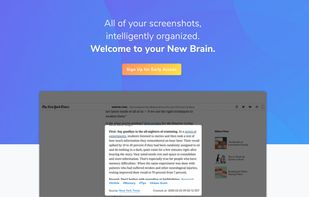
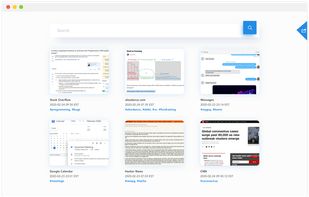
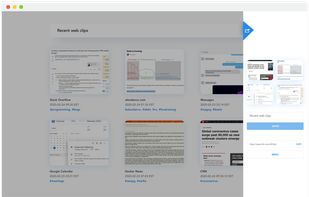
Katana is a simple, open-source screenshot utility for macOS that lives in your menubar.

Skitch is described as 'Screenshot editing and sharing utility for Mac and iOS that permits the user to add shapes and text to an image, and then share it online. Images can also be exported to various image formats' and is a very popular screenshot capture tool in the photos & graphics category. There are more than 50 alternatives to Skitch for a variety of platforms, including Windows, Mac, Web-based, iPhone and iPad apps. The best Skitch alternative is ShareX, which is both free and Open Source. Other great apps like Skitch are Flameshot, Greenshot, PicPick and Snipping Tool.
Katana is a simple, open-source screenshot utility for macOS that lives in your menubar.

Take, edit and share screenshots with Windows, OS X, Linux, Android and Google Chrome. It's free and simple!


Ybex Clipboard is an easy to use tool and a free web service to capture, annotate and share your screen, texts and images.

puush is a super-quick way to share screenshots and files. Quickly capture any portion of your screen, upload any file, and share them with a short URL automatically placed in your clipboard. Share them with the world or make them private, for your eyes only.


InstantShot! offers classical screenshot functionality for capturing the whole screen, a portion of it or a window and also the option to make timed screenshots or to make delayed captures over time. It offers a wide range of preferences and options to fit everyone's needs.
You Doodle is a complete art studio for iOS. Throw away all your other photo editor apps. My You Doodle apps have been downloaded by over 4 million artists worldwide. Here's the feature list:


Snap Markup provides various draw tools like free draw, rectangle, triangle, line, arrow, circle, numbers, brazier curve, rotations, text and crop.


Capture the web page, either part of it or full page. Edit your screenshots in a very user-friendly interface.


A macOS app for capturing, annotating and sharing screenshots. Quickly add comments, highlight what matters or blur any sensitive content. Upload screenshots to Google Drive or Dropbox. Copy screenshots to the clipboard and paste them directly into Slack, Skype, Jira, Trello and...
Capture screen and edit screenshot with Annotation Pilot.
This screen capture software allows you to add text and graphics to your screenshot, save your screenshot as a graphic file or send it by email.
With Annotation Pilot you can: Send a photo with annotations to your frie.


Capster helps you enhance your asynchronous communication with captures of your screen. Record your screen as you demonstrate a feature, idea, or bug, or take a screenshot and annotate it to better convey your point - and instantly share it through the cloud.


Right click on any web page, frame or iframe, click "Save Page As Image..." and then resize the selection around the piece you want to save.


There are no annotation tools