





Seula
5 likes
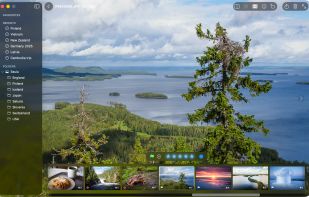
Seula is an app for quickly reviewing, comparing, and culling large sets of photos before editing.

Cost / License
- Free Personal
- Proprietary
Application typeApplication types
 EU
EUPlatforms
- Mac


Features
Seula News & Activities
Highlights All activities
Recent activities
- Juan Anderson liked Seula
 Kurtis Morin added Seula as alternative to Pro Photo Sorter
 Dominik-Thomann added Seula as alternative to MacViewPro
- Wierzciu liked Seula
- fishmi liked Seula
- Nicolas HA liked Seula
- Ben liked Seula
- Juha Berglund added Seula
 Juha Berglund added Seula as alternative to IrfanView, XnView MP, nomacs, FastStone Image Viewer and 4 more


Seula information
Developed by
 Juha Berglund
 Licensing
Proprietary and Free Personal product.Alternatives
11 alternatives listedBadge
Get an embeddable badge for SeulaSupported Languages


No comments or reviews, maybe you want to be first?