FolioSort is a native photo organizer for Mac and Windows that turns a chaotic pile of photos and videos into a clean, browsable folder archive — on your own computer. No account, no upload, no subscription.
It reads the capture date, camera and GPS already inside every file, so tens of thousands of photos land in the right folders in one run. You see the folder tree before anything moves, copy is the default, every transfer is checksum-verified, and one click undoes any of the last 50 runs. The library stays plain folders that Finder, Explorer, a NAS or any other app can read — no catalog to corrupt, nothing to import.
WHAT YOU CAN DO
• Organize by date, camera, lens or GPS place — any structure, with tokens like {YYYY}/{MM}/{Camera}/{City}
• Repair a Google Photos Takeout export for free — real dates, GPS, favourites and tagged people written back into every photo, no file limit
• Merge several drives, folders and exports into one de-duplicated library, keeping the best copy of each photo
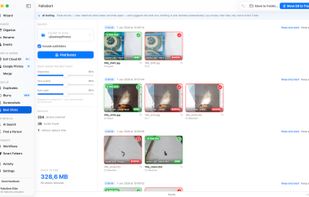
• Clean up exact AND visually similar duplicates, blurry shots, screenshots and weak burst frames — everything goes to the Trash and can be undone
• Batch rename with patterns or regex, with a live before/after preview
• Sort an event shot on several cameras into time blocks ("Ceremony 14:00–15:30")
• Search in plain language — "kids at the beach" — find every photo of one person, or search the text inside images (OCR)
• Automate: chain organize, dedupe, rename and cleanup into one workflow, or watch a folder so new files sort themselves
• 91 formats, including RAW (CR3, NEF, ARW, RAF, DNG) and cinema video (BRAW, R3D, ARRI)
YOUR PHOTOS STAY YOURS
Every scan, every AI model and every face match runs on your machine — Apple Neural Engine on Mac, local ONNX models on Windows. Nothing is uploaded and it works with the network off. The only optional network call is place-name lookup, which sends GPS coordinates, never images.
PRICING — ONE-TIME, NO SUBSCRIPTION
• Free: every feature to try, 100 files per operation, Google Takeout repair unlimited
• Pro: the unlimited organizer — RAW and cinema formats, GPS folders, NAS imports, merge, full cleanup
• Elite: everything in Pro plus all on-device AI, automation, and 3 computers across Mac and Windows
Current prices at foliosort.app/pricing · 14-day refund, no questions
HOW IT DIFFERS
Apple Photos, Lightroom and digiKam keep your library in a database only they can read; FolioSort organizes the real files, so the archive outlives any app. Google Photos searches your photos on its servers behind a subscription; FolioSort gives you plain-language and face search with nothing leaving your computer. ExifTool scripts move files with no preview, no undo, no cleanup and no search.
Used in 90+ countries, 20M+ files processed. macOS 14+ (Apple Silicon and Intel), signed and notarized · Windows 10/11, also on the Microsoft Store.






 EU
EU


 foliosort added FolioSort as alternative to Lap, Excire Foto, Similarity and Visual Similarity Duplicate Image Finder
 Paul added FolioSort as alternative to Imagin Raw



 FolioSort


No comments or reviews, maybe you want to be first?