Screenshot Captor is a program for taking screenshots on your computer. Its different from other screenshot utilis in several notable ways:


Screenshot Capture is described as '/ Browser Extension' and is a screenshot capture tool in the web browsers category. There are more than 50 alternatives to Screenshot Capture for a variety of platforms, including Windows, Mac, Google Chrome, Web-based and Mozilla Firefox apps. The best Screenshot Capture alternative is ShareX, which is both free and Open Source. Other great apps like Screenshot Capture are Flameshot, Greenshot, Snipping Tool and PicPick.
Screenshot Captor is a program for taking screenshots on your computer. Its different from other screenshot utilis in several notable ways:


The Fenêtre Capture Tool for making professional screenshots and screen recordings. With advanced functions and abilities that other free capture tools don't offer.


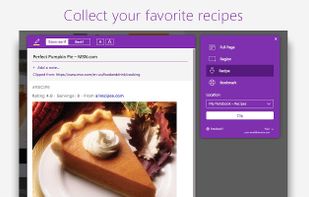
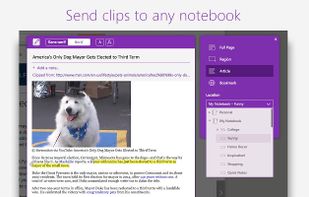
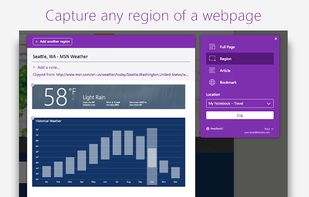
You're busy. OneNote Web Clipper lets you quickly clip all or part of a web page to OneNote, and save it for later. Clip images, pdfs, videos, or a visual bookmark of a page. Best of all, you can access them from any computer, tablet, or phone - even when you're offline.


This extension is able to capture 100% of both the vertical and horizontal content appearing on any webpage on the Internet. It is very easy to save the captured file onto your computer or print it / or share it to any social network.


Grab screenshots in a stealth mode, and start the capturing process at a user-defined time with the help of this simple to use and efficient software tool.


Meet MiniSnip, the smallest and fastest way to capture your screen and extract text with OCR on Windows. Open-source, feather-light, uses minimal resources, and stays completely out of your way.
Just one hotkey (Ctrl+Shift+C) is all you need to start.

not8 enables to write notes directly on the team website, and share them with colleagues. These notes will help to efficiently share feedback and reviews between colleagues, without the necessity of video explanations, long emails or screenshots.


SnapNDrag makes taking screenshots super easy. Click, select and the screenshot is added to your library. SnapNDrag maintains a library of all the screenshots you have ever taken. Think of it as iPhoto for screenshots.


PageArchiver (previously called "Scrapbook for SingleFile") is a Chrome extension that helps you to archive web pages for offline reading.


MWSnap is a small yet powerful Windows program for snapping (capturing) images from selected parts of the screen.