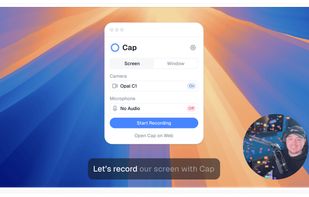
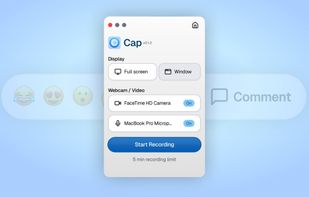
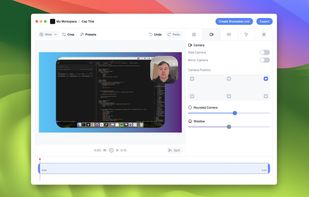
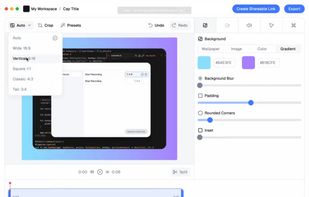
Capture your screen in an intuitive and straightforward way without distractions.


ScreenKite is described as 'Native macOS screen recording and editing with auto-zoom, built-in editor, Metal-accelerated export, customizable overlays, and fast 4K processing' and is a Screen Recorder in the video & movies category. There are more than 50 alternatives to ScreenKite for a variety of platforms, including Windows, Mac, Linux, Web-based and Google Chrome apps. The best ScreenKite alternative is OBS Studio, which is both free and Open Source. Other great apps like ScreenKite are OpenScreen, Recordly, GPU Screen Recorder and SimpleScreenRecorder.
Capture your screen in an intuitive and straightforward way without distractions.


Open-source tool for screen and camera capture with 4K recording, timeline editor, instant sharing via links, privacy controls, no signup, multiple layouts, custom branding, cursor options, threaded comments, self-hosting, and paid AI-powered features available.


Free, open-source screen recorder for macOS with native menu bar integration, ProRes 422/4444, HEVC, H.264 codecs, alpha channel and HDR support, flexible audio including system and mic, content filtering, privacy features with no tracking, and local file storage.

Record your computer screen with audio input from Mic or Speakers. Also shows mouse clicks in addition to the regular cursor. Simple interface with ability to record in AVI or export as swf.

Capture and record screens on Mac with CleanShot X, featuring seamless recording, custom keyboard shortcuts, customizable wallpapers, Quick Access Overlay, and Desktop icon toggle for a tidy user interface.


Record macOS screens with smoothed mouse movement, zoomed click highlights, cinematic motion blur, and customizable backgrounds while integrating webcam, microphone, system sound, and easy video editing. Output in HD for instructional and promotional videos.


Native macOS recorder offers timeline-based editing, full screen, region, window, and iOS capture, webcam overlay, system audio and mic recording, customizable workflow including FPS and mouse clicks, advanced cursor effects, backgrounds, and high-quality export.


Motionik is a cross-platform screen recorder and editor for macOS (12.3+) and Windows 10+. It combines recording, zoom, cursor effects, and lightweight editing to help you create polished product demos, tutorials, and promo videos in minutes—no complex timeline editing required.


Lightweight application offering real-time screen annotation, drawing, highlighting, spotlight, and zoom features with customizable tools, hotkey support, and easy cleanup. Ideal for teaching, business presentations, tutorials, and live demonstrations.


Open-source macOS screen recording app with auto-zoom, cursor effects, and timeline editing — Screen Studio alternative.


Screen recorder featuring fluid mouse motion, intelligent zoom, motion blur, customizable backgrounds, dynamic title animations, and mesmerizing scene transitions. Instantly share, embed, or edit videos for demos, tutorials, and presentations.


Action! enables HD, 4K, HDR10, and 8K streaming and recording, integrates fps displays, webcams, and live audio commentary. With overlays, monitoring tools, and benchmarking features, it offers a multifaceted solution for gaming capture.