Scratchpad App AlternativesNote-taking Tools and other similar apps like Scratchpad App

Scratchpad App is described as 'Menu bar and Dock access on macOS, one-tap launch on iOS, clean plain text notes, sync with iCloud or offline, fast word and character counts, and hotkey support' and is a Note-taking tool in the office & productivity category. There are more than 10 alternatives to Scratchpad App for a variety of platforms, including Mac, iPhone, iPad, Web-based and Apple Watch apps. The best Scratchpad App alternative is Itsypad, which is both free and Open Source. Other great apps like Scratchpad App are Bear, FSNotes, Notes and Meteorite.

Copy a direct link to this comment to your clipboard
Get a badge for your siteScratchpad App alternatives page was last updated

Alternatives list

  1. Itsypad icon
     9 likes

    Lightweight Mac scratchpad and clipboard manager featuring multi-tab editing, 1,000-item clipboard, syntax highlighting for 185+ languages, local privacy-focused storage, global hotkeys, split view, clickable links, iCloud sync, auto-save, and minimal resource usage.

    Cost / License

    • Free
    • Open Source (MIT)

    Application types

    Platforms

    • Mac
     
  2. Bear icon
     102 likes

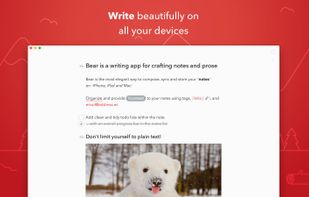
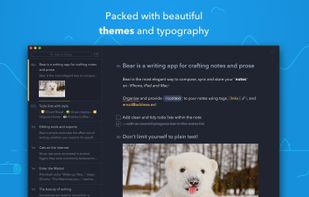
    Flexible note-taking and writing tool featuring advanced markdown with in-line images, cross-note links, live preview, hashtags, Focus Mode, plain text storage, iCloud sync, one-tap formatting, smart data recognition, and multiple export formats for portability.

    305 Bear alternatives

    Cost / License

    • Freemium
    • Proprietary

    Platforms

    • Mac
    • Online
    • iPhone
    • iPad
     
  3. FSNotes icon
     26 likes

    Supports open formats like plain text, Markdown, RTF, stores notes on disk, offers live sync with external editors, iCloud Drive and Dropbox sync, elastic pane views, fast search, tagging, markdown preview, code highlighting, and robust multi-folder management.

    Cost / License

    • Free Personal
    • Open Source (MIT)

    Platforms

    • Mac
    • iPhone
    • iPad
     
  4. Notes icon
     40 likes

    Use Notes to capture a quick thought, create checklists, sketch ideas, and more. And with iCloud, you can keep your notes up to date across all your devices.

    171 Notes alternatives

    Cost / License

    • Free
    • Proprietary

    Platforms

    • Mac
    • Online
    • iPhone
    • iPad
     
  5. Meteorite icon
     2 likes

    Ultra-minimal Mac menu bar note tool for fast, keyboard-only capture of thoughts, reminders, and snippets, with Markdown formatting, quick search, local privacy, light resource use, and direct export, ensuring notes are instantly accessible and private.

    Cost / License

    • Freemium
    • Proprietary

    Application type

    Platforms

    • Mac
     
  6. Tot icon
     12 likes

    Organize and edit short notes using a minimalist interface with color-coded dots, Markdown support, and word/character counts. Syncs instantly via iCloud across Mac, iPhone, and iPad. Features lightweight design, keyboard shortcuts, and distraction-free note capture.

    296 Tot alternatives

    Cost / License

    • Freemium
    • Proprietary

    Application type

    Platforms

    • Mac
    • iPhone
    • iPad
    • Apple Watch
     
  7. Flash Note icon
     2 likes

    The fastest way to take notes on your Mac. Access instantly from the menu bar, without cluttering the Dock. Take notes instantly, distraction-free.

    Cost / License

    • Paid
    • Proprietary

    Application type

    Platforms

    • Mac
     
  8. Smolpad icon
     3 likes

    Smolpad is a menubar-first Markdown notes app for macOS, with companion apps for iPhone and iPad (universal purchase). Click the menu bar icon and a notes panel drops down; type, and everything autosaves as plain .md files stored in the user's own iCloud Drive or Dropbox.

    Cost / License

    • Freemium
    • Proprietary

    Application type

    Platforms

    • Mac
    • iPhone
    • iPad
     
  9. SlideJot icon
     2 likes

    A tiny jot pad that's always within reach. For the things too small for a note but too important to lose.

    Cost / License

    • Paid
    • Proprietary

    Application type

    Platforms

    • Mac
     
  10. Wisp is a macOS scratchpad. Press Alt + Space anywhere and a glass panel slides in. Type. Hit Esc. It's gone — but your text stays, as plain markdown on disk.

    16 Wisp for macOS alternatives

    Cost / License

    • Free
    • Open Source (MIT)

    Application type

    Platforms

    • Mac
    • Homebrew
     
10 of 10 Scratchpad App alternatives