Scap Alternatives

Scap is described as 'Provides macOS screenshot capture with annotation, drawing board, layer overlays, blur, mosaic, QR codes, watermarks, tool shortcuts, and high-quality export' and is a screenshot capture tool in the photos & graphics category. There are more than 50 alternatives to Scap for a variety of platforms, including Windows, Mac, Linux, Web-based and Snapcraft apps. The best Scap alternative is ShareX, which is both free and Open Source. Other great apps like Scap are Flameshot, Greenshot, Gradia and Ksnip.

Copy a direct link to this comment to your clipboard
Scap alternatives page was last updated

Alternatives list

  1. Zight icon
     162 likes

    Enables screen and webcam capture, detailed video and screenshot editing, organized meeting notes, AI-powered transcription, and cloud-based instant sharing of annotated visual content via direct links or drag-and-drop integration with communication apps on Windows and Mac.

    195 Zight alternatives

    Cost / License

    • Freemium
    • Proprietary

    Application type

    Platforms

    • Mac
    • Windows
    • Online
    • Jira
    • Trello
    • Zendesk
     
  2. Screenpresso icon
     55 likes

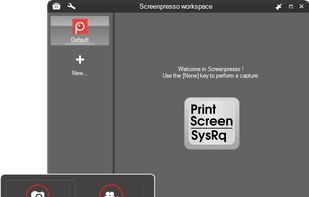
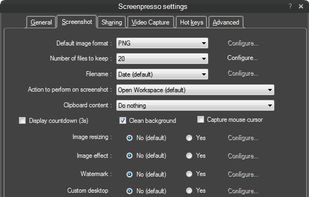
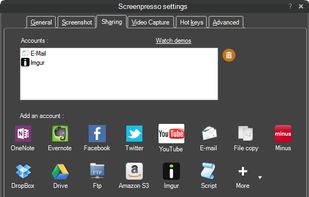
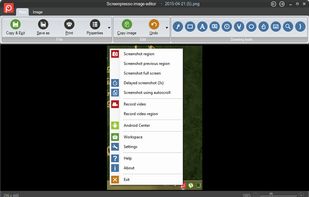
    Comprehensive screenshot and screencast tool offering full-screen, window, or region captures with a built-in editor. Supports cropping, resizing, labels, and effects, with integration for popular services. Free version includes some branding and is limited to 15s screen casts.

    141 Screenpresso alternatives

    Cost / License

    • Freemium
    • Proprietary

    Platforms

    • Windows
     
  3. ScreenFlow icon
     71 likes

    Capture the contents of your entire desktop at the same time as your video camera, microphone and computer's audio. Sophisticated editing tools allow you to create incredible screencasts in no time.

    Cost / License

    • Paid
    • Proprietary

    Platforms

    • Mac
     
  4. Wink icon
     57 likes

    Wink is a Tutorial and Presentation creation software, primarily aimed at creating tutorials on how to use software (like a tutor for MS-Word/Excel etc). Using Wink you can capture screenshots, add explanations boxes, buttons, titles etc and generate a highly effective tutorial...

    110 Wink alternatives

    Cost / License

    • Free
    • Proprietary

    Application type

    Platforms

    • Windows
     
  5. Capty icon
     4 likes

    Capture your screen, windows, or regions on macOS, record with audio, edit screenshots and videos using built-in tools like shapes, blur, and redaction, export in various formats with multiple quality presets, enjoy ad-free usage, offline access, and no registration.

    Cost / License

    • Paid
    • Proprietary

    Platforms

    • Mac
     
  6. Screenshot Tile offers a variety of features designed to enhance your experience when taking and managing screenshots. One of the key benefits of our app is the ability to customize storage location, format, and notification settings to suit your preferences.

    Cost / License

    Application type

    Platforms

    • Android
     
  7. AutoShot icon
     3 likes

    Tired of manually taking screenshots to document your work or track progress? Meet AutoShot, a macOS app that automatically captures screenshots at set intervals so you can focus on your work.

    Cost / License

    • Free
    • Proprietary

    Platforms

    • Mac
     
  8. Capture full and partial screenshots, record screen or webcam videos with extensive editing tools, including annotations, video conversion to gif/mp4, and sharing options. Create step-by-step guides enhanced by AI, save in multiple formats, and utilize cloud storage integration.

    186 FuseBase Capture alternatives

    Cost / License

    • Freemium
    • Proprietary

    Application type

    Platforms

    • Online
    • Microsoft Edge
    • Google Chrome
    • Opera
    • Mozilla Firefox
     
  9. Sleekshot icon
     46 likes

    This screenshot tool is made just for Windows 10/11 and lets you take and mark up screenshots really quickly. Right after you take a screenshot, you can start editing it because the editing area shows up around what you've captured.

    Cost / License

    • Freemium
    • Proprietary

    Platforms

    • Mac
    • Windows
     
  10. Satty icon
     2 likes

    Satty is a screenshot annotation tool inspired by Swappy and Flameshot.

    Cost / License

    Platforms

    • Linux
    • Rust
    • GTK
     
  11. Ashampoo Snap icon
     10 likes

    Capture screenshots or record videos with Ashampoo Snap’s efficient tools. Enjoy easy editing, multi-display support, OCR for 180 languages, and instant sharing capabilities. Revamp your projects with video cutting, annotations, and custom capture options.

    Cost / License

    • Freemium
    • Proprietary

    Platforms

    • Windows
     
You are at page 2 of Scap alternatives