
Rook icon
Rook icon

Rook

Mac note app optimized for code, offering syntax-highlighted blocks, auto language detection, Markdown support, full-text search, fast local storage, hierarchical organization, four code-tuned themes, smart paste features, and optional AI integration support.
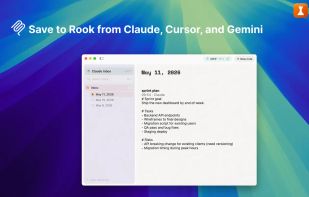
Rook screenshot 1

Cost / License

  • Free
  • Proprietary

Application type

Platforms

  • Mac
5likes
0comments
0articles

Features

Properties

  1.  Distraction-free
  2.  Support for Themes
  3.  Lightweight
  4.  Minimalistic

Features

  1.  Ad-free
  2.  Live Preview
  3.  Full-Text Search
  4.  No Tracking
  5.  No registration required
  6.  Dark Mode
  7.  Works Offline
  8.  Language Detection
  9.  Syntax Highlighting
  10.  Model Context Protocol (MCP) Support
  11.  Code Snippets
  12.  Code Snippet Manager
  13.  Auto-saving
  14.  Tagging
  15.  Integrated Search

Rook News & Activities

Highlights All activities

Recent activities

Rook information

  • Developed by

    MA flagMaryam Touimi Benjelloun
  • Licensing

    Proprietary and Free product.
  • Alternatives

    40 alternatives listed
  • Supported Languages

    • English
Rook was added to AlternativeTo by Paul on and this page was last updated .
No comments or reviews, maybe you want to be first?

What is Rook?

Rook is a note-taking app designed for coding. It features a minimalist interface and tools like syntax-highlighted code blocks, automatic language detection, and text search. It's ideal for developers, students, and others who work with code. The app is user-friendly, requires no signup, and stores all data locally on a Mac. The latest version supports the Model Context Protocol (MCP) to connect AI assistants to different tools. This feature is currently in beta and disabled by default.

Rook includes syntax highlighting for major languages, auto language detection, and smart paste capabilities. It supports markdown formatting and offers organizational features like a three-level hierarchy, full-text search, and quick preview. It has five themes optimized for code and supports import from SnippetsLab.

Official Links