


Pulsar Editor
51 likes
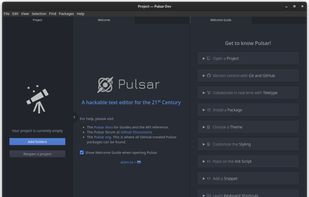
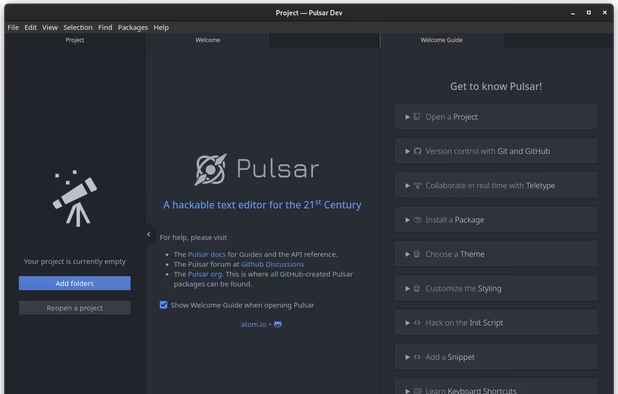
A Community-led Hyper-Hackable Text Editor, built on Electron. and based on everything we love about our favorite editors.
Cost / License
- Free
- Open Source
Application typeApplication types
Platforms
- Mac
- Windows
- Linux
- Chrome OS
- BSD
- Electron

Features


Pulsar Editor News & Activities
Highlights All activities
Recent News
- Paul published news article about Pulsar Editor
- Paul published news article about Pulsar Editor


Recent activities
 Paul added Pulsar Editor as alternative to NEO Emacs
- LockingHere liked Pulsar Editor
- Tony Lein liked Pulsar Editor
- stevexu added Pulsar Editor as alternative to notePad++++
- adrianmarshall167 liked Pulsar Editor
- André liked Pulsar Editor
 Koner added Pulsar Editor as alternative to Iskra Text Editor
 HWYEnigmaLLC added Pulsar Editor as alternative to Caxton
 Chris Portka added Pulsar Editor as alternative to dedtxt
 cel added Pulsar Editor as alternative to Notepadng


Featured in Lists


PowerShell IDEs
A list of code editors or extensions/plugins that support PowerShell — exclusively or with other languages, whether Desktop, Core, or both. Also, a small number of noteworthy form-building modules.
The only real requirement is that the editors listed have, at minimum, PowerShell syntax highlighting & code folding out of the box. Anything further, debugging, some level of auto-complete (whether real-time and context sensitive or based on a predefined list of keywords), module and help creation, snippets, graphical tools, form designer, etc. are optional but preferred.
A great resource — albeit not updated often enough, and which has more than a couple dead links or outdated resources — is the Awesome PowerShell list @ https://github.com/janikvonrotz/awesome-powershell
The rough sorting is editors with 1st-class PowerShell support — i.e. editors that are either primarily built around PowerShell, or which support PowerShell with true IntelliSense-like code completion, whether natively or via an extension or plugin. Secondary is their depth and breadth of support. Third is their status — are they abandoned, or currently being developed and supported? For instance, I'd put Notepad++ above PowerGUI, even though the latter is fully meant for PowerShell, as despite Notepad++'s lack of true PowerShell support in any way beyond syntax highlighting and manual function definition lists for auto-complete, PowerGUI is far too outdated to be considered a viable option, and is more of a curiosity that you can still run... for now. Same goes for ISE, despite not being updated since TechNet was discontinued, but as it's a 1st-class product developed by Microsoft and despite many addons no longer working (at least without some searching and manual activation), it's a much more viable option in my opinion than Notepad++, unless you don't need features like IntelliSense, smart auto-completion, and the like.
Your mileage may vary.
What is Pulsar Editor?


Pulsar Editor information
Developed by
 Pulsar-Edit
 Licensing
Open Source and Free product.Written in
Rating
Average rating of 4.7Alternatives
94 alternatives listedBadge
Get an embeddable badge for Pulsar EditorSupported Languages

AlternativeTo Categories
Development, Office & Productivity, OS & UtilitiesGitHub repository
- 4,160 Stars
- 197 Forks
- 330 Open Issues
- Updated


Comments and Reviews
The Pulsar text editor is a community-led project that emerged as a fork of the Atom code editor, which was officially discontinued in December 2022. Pulsar is built on the Electron framework, utilizing the Chrome V8 JavaScript engine, which may contribute to its performance being slightly slower compared to native applications. Despite this, Pulsar offers a range of features such as smart autocompletion, a built-in package manager, and the ability to work across different operating systems. The discontinuation of Atom has indeed affected the update cycle of many plugins; however, Pulsar's active community is working to provide alternatives and maintain the editor's ecosystem.
It's great, that the awesome Atom Editor is not left dead without a revival. I always loved Atom for being simple yet powerful. This is a great code editor and I generally like it more than vscode, although there are not as many up-to-date extensions available (yet?)