Preme for Windows Alternatives

Preme for Windows is described as 'Preme is a free software for Windows which lets you add cool desktop features and enhances the desktop functionality' and is an app in the os & utilities category. There are more than 50 alternatives to Preme for Windows for a variety of platforms, including Mac, Windows, Linux, PortableApps.com and File Explorer apps. The best Preme for Windows alternative is Rectangle, which is both free and Open Source. Other great apps like Preme for Windows are BetterTouchTool, AquaSnap, SnapZones and AltSnap.

Copy a direct link to this comment to your clipboard
Preme for Windows alternatives page was last updated

Alternatives list

  1. BetterTouchTool icon
     108 likes

    Customizes input devices on macOS by enabling gesture and button mapping, keyboard shortcut assignment, window snapping, automation, scripting, multi-device integration, and iOS app control. Features include touch bar, Apple Remote, and per-app profiles.

    79 BetterTouchTool alternatives

    Cost / License

    • Paid
    • Open Source

    Application type

    Platforms

    • Mac
     
  2. AquaSnap icon
     92 likes

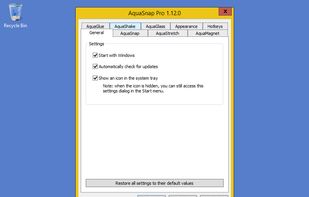
    Optimize your desktop environment with this management tool offering window docking, snapping, multi-monitor support, and keyboard shortcuts for enhanced productivity.

    100 AquaSnap alternatives

    Cost / License

    • Freemium
    • Proprietary

    Application type

    Platforms

    • Windows
    • PortableApps.com
     
  3. SnapZones icon
     9 likes

    Organize windows with ease using SnapZones. Enjoy magnetic snapping, predefined and custom layouts, multiple display configuration, and seamless transitioning between workspaces. SnapZones auto-starts at login, ensuring streamlined productivity for macOS users in any environment.

    62 SnapZones alternatives

    Cost / License

    • Paid
    • Proprietary

    Application type

    Platforms

    • Mac
     
  4. AltSnap icon
     18 likes

    A fork of the unmaintained AltDrag, this allows you to move and resize windows by holding the Alt key and clicking anywhere within the window instead of relying on very precise clicking of the window edges.

    Cost / License

    • Free
    • Open Source

    Application type

    Platforms

    • Windows
     
  5.  9 likes

    KWin is a window manager for the X Window System, and is in the process of becoming a Wayland compositor. It is an integral part, and the default window manager of the Plasma Workspaces, but it can also be used on its own or with other desktop environments.

    Cost / License

    • Free
    • Open Source

    Application type

    Platforms

    • Linux
    • BSD
     
  6. MacsyZones icon
     5 likes

    Customize layouts and sections for organizing windows into defined zones on macOS, easily snap and rearrange application windows, support multitasking needs, reduce desktop clutter, and enhance work efficiency for users managing multiple windows.

    Cost / License

    Application type

    Platforms

    • Mac
     
  7. Divvy icon
     65 likes

    Divvy is an entirely new way of managing your workspace. It allows you to quickly and efficiently "divvy up" your screen into exact portions.

    96 Divvy alternatives

    Cost / License

    • Paid
    • Proprietary

    Application type

    Alerts

    • Discontinued

    Platforms

    • Mac
    • Windows
     
  8. GridMove icon
     31 likes

    GridMove - A window management tool that can quickly arrange your windows into desktop grids.

    53 GridMove alternatives

    Cost / License

    • Free
    • Open Source

    Application type

    Platforms

    • Windows
     
  9. SMBAct icon
     3 likes

    SMBAct is the all-in-one cross-platform solution that allows you to keep your windows and applications well-organized and significantly simplify the process of interaction with them.

    Cost / License

    • Paid
    • Proprietary

    Application type

    Platforms

    • Mac
    • Windows
    • Linux
     
  10. altdrag icon
     38 likes

    AltDrag allows you to move and resize windows much easier. When you have it running you can simply hold down the Alt key and then use your mouse to drag any window, and it doesn't matter where in the window you click.

    Cost / License

    • Free
    • Open Source

    Application type

    Alerts

    • Discontinued

    Platforms

    • Windows
     
  11. WindowKeys icon
     4 likes

    Access all native macOS window tiling commands in one place — the Tiling Panel. Customize keyboard shortcuts and use them on any keyboard, even third-party ones.

    Cost / License

    • Free
    • Proprietary

    Application type

    Platforms

    • Mac
     
12 of 62 Preme for Windows alternatives