


Pimosa
7 likes
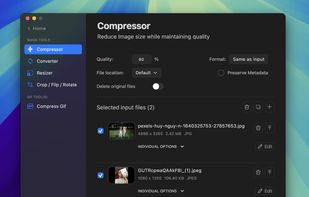
Edit, convert, and enhance video, audio, and images in one web platform with crop, trim, merge, resize, rotation, speed control, format conversion, compression, overlays, filters, batch processing, waveform creation, and metadata editing.

Cost / License
- Pay once or Subscription
- Proprietary
Application typeApplication types
Platforms
- Mac
- Windows


Features
Pimosa News & Activities
Highlights All activities
Recent News
No news, maybe you know any news worth sharing?
Share a News Tip
Recent activities
 chenjindu added Pimosa as alternative to FreeCompress.video
 Jacob Zabrowki added Pimosa as alternative to Video Squisher
- Ben liked Pimosa
 RemovedUser added Pimosa as alternative to Edconv and MediaConfig
 Mauricio B. Holguin added Pimosa as alternative to GetCompress
- Nathaniel Blackburn updated Pimosa
 Danilo Venom added Pimosa as alternative to TinyFast and VideoLighter
 Vasyl Kolomiiets added Pimosa as alternative to Vreel Compressor PRO





Pimosa information
Developed by
 Ansh Rathod
 Licensing
Proprietary and Commercial product.Pricing
One time purchase ranging between $29 and $49, and / or subscription that costs $19 per month.Alternatives
47 alternatives listedBadge
Get an embeddable badge for PimosaSupported Languages


No comments or reviews, maybe you want to be first?