


Photopea
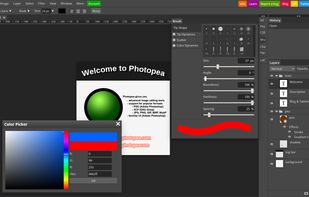
Browser-based image editing supports PSD, XCF, Sketch formats, advanced layers, vector tools, RAW photo support, and exports in 40+ formats. Fully client-side with AI background removal, content-aware tools, and privacy as files never leave your device.

Cost / License
- Freemium (Subscription)
- Proprietary
Application types
 EU
EUPlatforms
- Online
- Software as a Service (SaaS)


Features
Properties
- AI-Powered
Features
- Web-Based
- Open PSD files
- Support for Layers
- Vectorize raster images
- Photoshop-like
- Sketch to PSD
- Text tool
- Browser-based
- Free API

- Realtime magic wand tool
- Photographic filters
- No registration required
- WEBP Support
- Convert Photo to Painting
- Dark Mode
- Ad-free
- Colorize Photo
- Texture painting
- Color blending
- Support for SVG
- PDF support

Photopea News & Activities
Recent News
- POX published news article about Inkscape
 Beyond Adobe's pricey products: my graphic designer’s toolbox on Linux
I've spent years polishing my craft with Adobe’s heavyweight suite, Photoshop, Illustrator, InDesig...
- Fla published news article about Photopea
 PhotoPea adds free background remover and share via link options
PhotoPea now offers two new features: a one-click background remover with no fees or resolution res...


Recent activities
- bulldogs liked Photopea
- ordiveo liked Photopea
 POX added Photopea as alternative to PhotoFlare Studio
- Jose-David-Vite-Bautista liked Photopea


Featured in Lists

This is the apps for Windows 11 that I would recommend to anyone who just got a PC ! The same list...

This is going to be a list of the free tools/software that can be used mostly in any field. it's based on websites...

There is no doubt that Adobe Suite is great, even in some case it's probably the best. But you can be mad...
What is Photopea?
Photopea is a free, online photo editor that works directly in your browser, removing the need for downloads. It operates on your device using your CPU and GPU, allowing files to open instantly and stay on your device. Its performance depends on your hardware quality. Photopea offers a wide range of editing tools from cropping and resizing to layering, masking, and blending. It supports PSD format and over 40 other formats including PNG, JPG, and GIF. It also offers RAW support and AI technology for background removal and content replacement. Photopea is useful for social media enthusiasts, students, educators, small business owners, and graphic designers.
Photopea information
Developed by
 Photopea
 Licensing
Proprietary and Freemium product.Pricing
Subscription that costs $5 per month + free version with limited functionality.Rating
Average rating of 4.6Alternatives
126 alternatives listedBadge
Get an embeddable badge for PhotopeaSupported Languages
- English
AlternativeTo Category
Photos & GraphicsGitHub repository
- 5,364 Stars
- 205 Forks
- 80 Open Issues
- Updated


Comments and Reviews
A real Photoshop killer, though only available on the web. It successfully punishes greedy Adobe by doing 99% of everything Photoshop does for free. It lacks some advanced features but most people do not use them anyways.
Very surprised about this amazing web tool. It surpasses most of image editing software out there. UI is very carefully designed. May be not the top 3, but can compete best professional image editing tools.
As I was switching back and forth between a browser site and a captured image that I want to mark while I check job listings, I realized an online editor might make things easier. Tried Photopea. The uploaded image came in zoomed out, so I tried a standard ctrl/scroll to zoom in.. no luck. Used the magnifying icon to zoom, but the image is past boundaries, and the boundaries don't have the stretching squares that most editing programs seem to. Looks like there's some learning curve.
I recently came back to Photopea after some time, but it is no longer what it claimed to be. I originally started using Photopea, because it was the new free Photoshop, but these days you need a premium version of 5$ a month to use most of it's features. You can still use it for free, but it is greatly limited. It even annoys you about using an ad blocker and I've heard some bad stories about them going against ad blockers and even bothering people not even using one. I am very disappointed at what it has become, I don't think it is worth it anymore.
Great free software. Sadly they have introduced quite a lot of bugs during the last two years (such as PDFs struggeling, and bad UX AI features)
Honestly I think that more people should know about this easy to use, free yet super powerfull tool.
Ad free experience without any "pay to download" stuff found on other web based image editors.
10/10 I highly recommend using this if you are not experienced in photoshop and have no time to learn it from scratch and just wanna edit memes quickly ;)
This is the best alternative to Photoshop by far, even better than Gimp with the Photoshop plugin.
I recommend you to install Photopea as a PWA and you will be good.