Open Screenshot Alternatives

Open Screenshot is described as 'This extension is able to capture 100% of both the vertical and horizontal content appearing on any webpage on the Internet' and is a screenshot capture tool in the photos & graphics category. There are more than 100 alternatives to Open Screenshot for a variety of platforms, including Windows, Mac, Web-based, Google Chrome and Linux apps. The best Open Screenshot alternative is ShareX, which is both free and Open Source. Other great apps like Open Screenshot are Greenshot, Snipping Tool, PicPick and FastStone Capture.

Copy a direct link to this comment to your clipboard
Open Screenshot alternatives page was last updated

Alternatives list

  1. Free Shooter icon
     11 likes

    Freeware tool for taking fast and simple screenshots of the entire screen, windows and regions.

    Cost / License

    Application type

    Platforms

    • Windows
     
    |
    1
    Free Shooter vs Open Screenshot Comments
    Guest
    Positive
    0

    First alternative I tried, very lightweight and does the job perfectly, where the native windows 10 snipping tool only generated black snapshots, apparently not really snapshotting the screen output and not working for some fullscreen video programs I was attempting to capture

    • Free Shooter is Free and Open SourceOpen Screenshot is Free and Proprietary
    • Free Shooter is Lightweight and Privacy focusedOpen Screenshot is not according to our users
  2. You're busy. OneNote Web Clipper lets you quickly clip all or part of a web page to OneNote, and save it for later. Clip images, pdfs, videos, or a visual bookmark of a page. Best of all, you can access them from any computer, tablet, or phone - even when you're offline.

    Cost / License

    • Free
    • Proprietary

    Platforms

    • Online
    • Chrome OS
    • Google Chrome
    • Firefox
     
  3. Ashampoo Snap icon
     10 likes

    Capture screenshots or record videos with Ashampoo Snap’s efficient tools. Enjoy easy editing, multi-display support, OCR for 180 languages, and instant sharing capabilities. Revamp your projects with video cutting, annotations, and custom capture options.

    Cost / License

    • Freemium
    • Proprietary

    Platforms

    • Windows
     
  4. Screenshot Captor is a program for taking screenshots on your computer. Its different from other screenshot utilis in several notable ways:

    Cost / License

    • Free Personal
    • Proprietary

    Application type

    Platforms

    • Windows
     
  5. MiniSnip icon
     2 likes

    Meet MiniSnip, the smallest and fastest way to capture your screen and extract text with OCR on Windows. Open-source, feather-light, uses minimal resources, and stays completely out of your way.

    Just one hotkey (Ctrl+Shift+C) is all you need to start.

    Cost / License

    Application type

    Platforms

    • Windows
     
  6. Enables screen video, audio, and webcam capture with support for system sounds, microphone input, annotation tools, zoom, custom watermarks, automated scheduling, screenshot upload, adjustable quality, region selection, and support for over 45 languages.

    Cost / License

    • Freemium
    • Proprietary

    Platforms

    • Windows
     
  7. Grab screenshots in a stealth mode, and start the capturing process at a user-defined time with the help of this simple to use and efficient software tool.

    Cost / License

    • Free
    • Proprietary

    Platforms

    • Windows
     
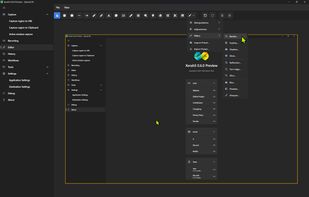
  8. XerahS icon
     1 like

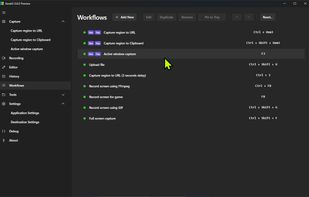
    The most advanced screen capture tool for Windows, macOS, and Linux. ShareX reimagined with modern UI technologies, built from the ground up for cross-platform performance.

    Cost / License

    Application type

    Platforms

    • Windows
    • Mac
    • Linux
     
  9. PixEase icon
     Like

    Capture, Customize, and Share Effortlessly with PixEase. We understand the value of your time, which is why we've designed our app to make the process of creating stunning visuals quick and seamless.

    Cost / License

    • Free
    • Proprietary

    Application type

    Platforms

    • Mac
     
  10.  1 like

    Simple cross-platform screenshot tool (CLI).

    Cost / License

    Platforms

    • Windows
    • Linux
    • Mac
     
You are at page 3 of Open Screenshot alternatives