Microsoft Lens Alternatives for iPhone

There are many alternatives to Microsoft Lens for iPhone and since it's discontinued a lot of people are looking for a replacement. The best iPhone alternative is Pocket Scanner. It's not free, so if you're looking for a free alternative, you could try OSS Document Scanner or Google Lens. If that doesn't suit you, our users have ranked more than 50 alternatives to Microsoft Lens and many of them are available for iPhone so hopefully you can find a suitable replacement. Other interesting iPhone alternatives to Microsoft Lens are CamScanner, Open Scanner, Preview and Genius Scan.

filter to find the best alternatives

Microsoft Lens alternatives are mainly Document Scanners, but if you're looking for Image Scanners or Document Managers you can filter on that. Other popular filters include Android, Open Source, Windows, Mac, Android + Open Source, iPhone and Scan documents. You can also filter by region, for example EU-based alternatives if you prefer software developed in the European Union. These are just examples - use the filter bar below to find more specific alternatives to Microsoft Lens.
Copy a direct link to this comment to your clipboard
Microsoft Lens alternatives page was last updated

Alternatives list

  1. Pocket Scanner icon
     120 likes

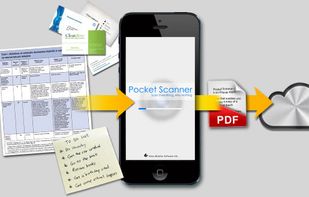
    Pocket Scanner Ultimate is the stand-alone version of Kdan’s Pocket Scanner series. Search “Pocket Scanner Cloud” in the App Store and try out the app & cloud services for free!

    Cost / License

    • Paid
    • Proprietary

    Platforms

    • iPhone
    • iPad
     
    |
    1
    Pocket Scanner vs Microsoft Lens Comments
    Charles Jones
    Positive
    11

    Office Lens is adapted to many platforms, but if I talk about iOS, I choose Pocket Scanner.

    • Pocket Scanner is Paid and ProprietaryMicrosoft Lens is Free and Proprietary
  2. The OSS Document Scanner is an Open Source app to scan all your documents. You either scan using your camera or by importing an image. The app will automatically detect you document within the photo and will crop the image.

    72 OSS Document Scanner alternatives

    Cost / License

    • Free
    • Open Source (MIT)

    Platforms

    • Android
    • iPhone
    • F-Droid
     
  3. CamScanner icon
     73 likes

    Your portable scanner. Use your camera to get high quality scans of paper documents, receipts, notes and more. Anytime, anywhere.

    128 CamScanner alternatives

    Cost / License

    • Freemium
    • Proprietary

    Platforms

    • Mac
    • Windows
    • Online
    • Android
    • iPhone
    • Android Tablet
    • iPad
     
    |
    1
    CamScanner vs Microsoft Lens Comments
    Guest
    Positive
    0

    can insert multiple photos

    Review by a new / low-activity user.
    • CamScanner is Freemium and ProprietaryMicrosoft Lens is Free and Proprietary
  4. Open Scanner icon
     12 likes

    Open Scanner is a fast and simple-to-use paper-scanning app with AI features to speed up your scanning workflow:

    Cost / License

    • Free
    • Open Source (MIT)

    Application type

    Platforms

    • iPhone
     
  5. Preview icon
     123 likes

    Native macOS app for viewing, annotating, and editing images and PDFs, featuring tools for cropping, rotating, resizing images, rearranging pages, full-screen viewing, markup, document merging, batch conversion, and export in multiple formats.

    173 Preview alternatives

    Cost / License

    • Free
    • Proprietary

    Application types

    Platforms

    • Mac
    • iPhone
    • iPad
     
  6. Genius Scan icon
     13 likes

    Genius Scan is a scanner in your pocket. Quickly scan your documents on the go and export them as JPEG or multi-page PDF files.

    62 Genius Scan alternatives

    Cost / License

    • Freemium
    • Proprietary

    Application type

    Platforms

    • Android
    • iPhone
     
    |
    2
    Genius Scan vs Microsoft Lens Comments
    RemovedUser
    Positive
    0

    The free version is in the best Scan app for Androïd I tested. Simple, efficient. No adds just less features

    Review by a new / low-activity user.
    gpm4pqqtddyg
    Positive
    -2

    Magic Mode makes scanning multipage documents fast and easy (no need to snap a picture, the app automatically detects the document in the picture). Also, powerful document organization with smart naming and tags. It supports PDF merging too!

    Review by a new / low-activity user.
    • Genius Scan is Freemium and ProprietaryMicrosoft Lens is Free and Proprietary
  7. Scanner Pro icon
     11 likes

    Scanner Pro turns your iPhone into portable scanner in your pocket. It lets you scan multipage documents, email them and even upload to Dropbox, MobileMe iDisk or any other WebDAV enabled server.

    57 Scanner Pro alternatives

    Cost / License

    • Paid
    • Proprietary

    Platforms

    • iPhone
     
  8. QuickScan icon
     3 likes

    The app is 100% FREE, with NO ads and NO data collection. Donations are possible to support the project.

    Cost / License

    • Free
    • Proprietary

    Application type

    Platforms

    • iPhone
    • iPad
     
  9. Adobe Scan icon
     14 likes

    The Adobe Scan scanner app turns your device into a powerful portable scanner that recognizes text automatically (OCR) and allows you to save to multiple file formats including PDF and JPEG.

    123 Adobe Scan alternatives

    Cost / License

    • Freemium
    • Proprietary

    Platforms

    • Android
    • iPhone
    • Android Tablet
    • iPad
     
  10. Notebloc icon
     14 likes

    Document scanner app. Free. Save and share as PDF or JPG.

    Cost / License

    • Freemium
    • Proprietary

    Platforms

    • Android
    • iPhone
    • Android Tablet
    • iPad
     
12 of 33 Microsoft Lens alternatives