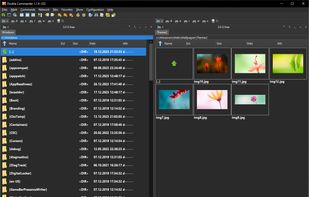
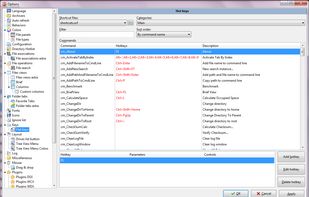
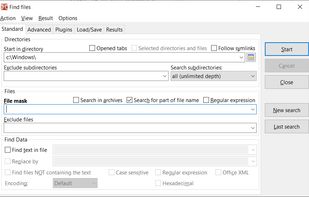
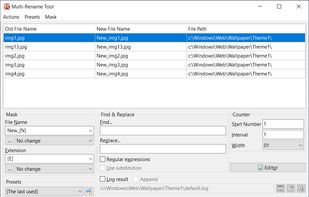
Open-source file manager with dual-panel interface, inspired by Total Commander. Supports plugin use, advanced search, tabbed browsing, and runs smoothly with background operations. Unicode and multi-platform compatibility enhance its versatility.


nViPER is described as 'Fast, keyboard-first dual-pane file manager for macOS and Windows — a modern revival of the original 2001 nViPER. Two panels side by side let you copy, move and organize files far quicker than a single-window explorer' and is a File Manager in the file management category. There are more than 10 alternatives to nViPER for a variety of platforms, including Windows, Mac, Linux, BSD and KDE Plasma apps. The best nViPER alternative is Double Commander, which is both free and Open Source. Other great apps like nViPER are Total Commander, Dolphin File Manager, FreeCommander and OneCommander.
Open-source file manager with dual-panel interface, inspired by Total Commander. Supports plugin use, advanced search, tabbed browsing, and runs smoothly with background operations. Unicode and multi-platform compatibility enhance its versatility.


A versatile file manager offering side-by-side dual-pane for intuitive navigation, powerful built-in FTP client, extensive archive format support, robust file comparison tool with editor, advanced multi-rename using regular expressions, and scalable customization options.


Usability-focused file manager for KDE desktops offering tabbed and dual-pane browsing, archive support, quick file renaming, filter-based searching, customizable icons, theme adaptation, preview modes, and extensibility with various service integrations.


Dual-panel file manager with tabbed navigation, built-in viewer for multiple formats, ZIP/RAR/7z archive support, folder sync and comparison, batch renaming, search within archives, customizable keyboard shortcuts, DOS command integration, and full portability.


Dual-pane Windows file manager with tab support, Miller Columns layout, customizable themes, image converter, regex-based renaming, long Unicode path support, batch operations, metadata display, ToDo notes in folders, file previews, smart clipboard, and robust archive handling.


Text-mode file manager for terminals with dual-pane interface enables copying, moving, deleting, and searching files locally or via remote shells. Includes internal viewer, text editor, subshell integration, broad terminal compatibility, and works over SSH.


Tabbed browsing, dual pane file management, advanced search with filters, scripting and automation, customizable interface, bulk renaming, integrated file preview for various formats, portable operation without installation, user-defined commands, and multi-language support.


Complete Explorer alternative with dual-pane navigation, folder tabs, batch renaming, built-in image and document viewer, portable device access, scriptable interface, archive and metadata support, robust search, color coding, sync tools, and high DPI compatibility.


Far Manager is a program for managing files and archives in Windows operating systems. Far Manager works in text mode and provides a simple and intuitive interface for performing most of the necessary actions:


Brings iconic 3D Cover Flow file browsing to macOS, includes dual pane navigation, Quick Look integration, sidebar access to volumes, instant file sorting, context menus, type-ahead search, familiar Finder-like interface, and open source availability.

Dual pane macOS file manager featuring SFTP, FTP, WebDAV, cloud drives, real-time activity view, folder sync, drag-and-drop file transfers, preview panel, multi-rename, batch operations, server connections, text editing, themes, and tagging for efficient workflows.


Multi Commander is a multi-tabbed file manager and is an alternative to the standard Windows Explorer. It uses the very popular and efficient dual-panel layout.