
nViPER icon
nViPER icon

nViPER

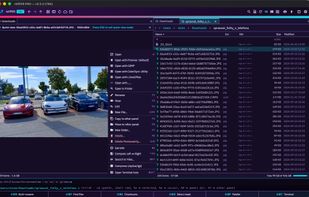
nViPER is a fast, keyboard-first dual-pane file manager for macOS and Windows — a modern revival of the original 2001 nViPER. Two panels side by side let you copy, move and organize files far quicker than a single-window explorer.
nViPER screenshot 1

Cost / License

  • Freemium (Pay once)
  • Proprietary

Application type

Platforms

  • Mac
  • Windows
0likes
0comments
0articles

Features

Properties

  1.  Support for Themes

Features

  1.  No registration required
  2.  Ad-free
  3.  No Tracking
  4.  Dark Mode
  5.  Built-in viewer
  6.  Supports Zip files
  7.  Full-Text Search
  8.  Works Offline
  9.  Support for SFTP
  10.  Dual Pane Support

nViPER News & Activities

Highlights All activities

Recent activities

nViPER information

  • Developed by

    SK flagNEXT176
  • Licensing

    Proprietary and Freemium product.
  • Pricing

    One time purchase (perpetual license) that costs $13 + free version with limited functionality.
  • Alternatives

    22 alternatives listed
  • Supported Languages

    • English
nViPER was added to AlternativeTo by nickn17 on and this page was last updated .
No comments or reviews, maybe you want to be first?

What is nViPER?

nViPER is a fast, keyboard-first dual-pane file manager for macOS and Windows — a modern revival of the original 2001 nViPER. Two panels side by side let you copy, move and organize files far quicker than a single-window explorer.

Browse & manage: dual-pane layout with tabs, history and breadcrumb navigation; copy, move, delete, rename, create folders with a progress queue; sort, filter, hidden files; details / brief / thumbnail view modes; bookmarks, disk overview, drag & drop.

Archives: open and create ZIP, TAR, GZ and BZ2; extract 7z and RAR; browse archives like normal folders (virtual traversal).

Preview & edit: built-in viewer (text with syntax highlighting, hex, images, PDF, video); built-in text editor.

Search & tools: fast filename and content search that runs in the background; file checksums (MD5/SHA-256); open-with external apps, launch a terminal in the current folder.

Network & comparison: SFTP, FTP and SCP client — mount remote servers as a panel; file/folder comparison with a full two-pane merge editor and directory sync.

Made to feel right: light, dark, Solarized and other themes; fully keyboard-driven with classic function-key shortcuts (F3 view, F4 edit, F5 copy, F6 move…).

On macOS the core file manager is completely free; SFTP/FTP, file compare and directory compare unlock via a one-time Apple IAP. On Windows everything is free.

Official Links

