





Namida
11 likes
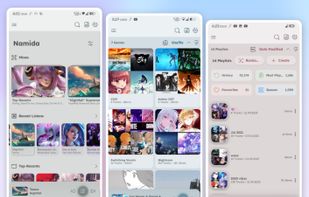
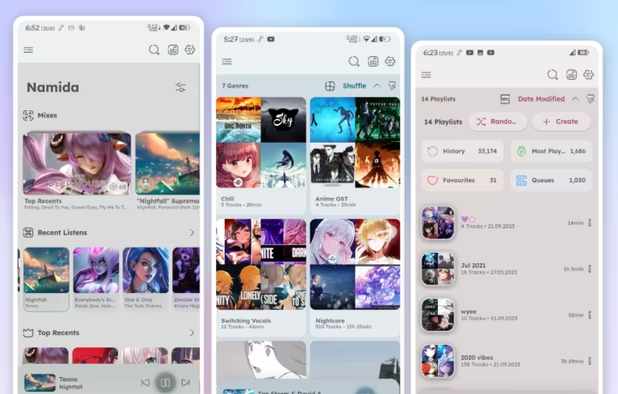
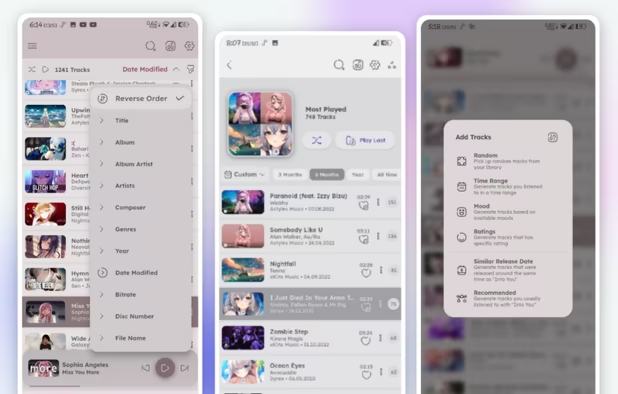
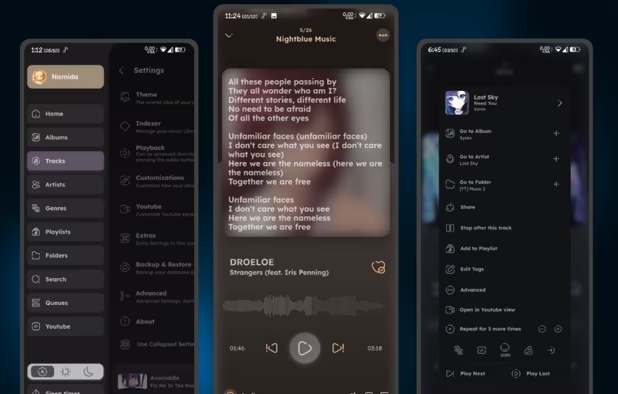
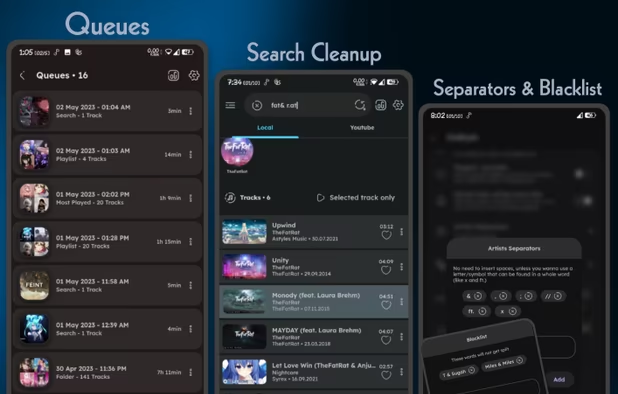
Feature-rich music and video player with YouTube support, built on Flutter. Offers folder-based library, powerful indexer, tagging, custom themes, waveform seekbar, offline and audio-only modes, advanced queue, history tracking, and gesture-based video controls.
Cost / License
- Free
- Open Source
Application typeApplication types
Platforms
- Windows
- Linux
- Android
- Android Tablet

Features
Highlights All activities
Namida News & Activities
Recent activities
 Troy Lockhart added Namida as alternative to Focus Feed
- GabrielDja updated Namida
 dinesh-58 added Namida as alternative to Omnia Music Player
 Paul added Namida as alternative to WizeStream
- dante920 liked Namida
 Fla added Namida as alternative to AperMusic, AT Player and YouTube Music Desktop Player
 Ilyass-Anida added Namida as alternative to YTAudioBar


Developed by
 Namidaco
 Licensing
Open Source and Free product.Alternatives
94 alternatives listedBadge
Get an embeddable badge for NamidaSupported Languages
AlternativeTo Categories
Audio & Music, Video & Movies, File ManagementGitHub repository
- 6,668 Stars
- 364 Forks
- 64 Open Issues
- Updated



Beautiful Open Source Apps for Android (nice & modern UI/UX)
UI = User Interface
UX = User eXperience
Most open source apps offer out-dated or classic material design UI. If the apps works great and the UX is not terrible you might find it okay. But intuitive UI are better, and modern looking ones are pleasant to use, sadly they are not the majority. Here is my list of Beautiful Open Source Apps for your android device !
Apps are listed in alphabetical order !
Also look at : The ultimate F-Droid setup for more open source android apps.
and Beautiful Open Source Apps for iOS for your iOS device
DISCLAIMERS
Nice UI comes to personnal preference. So this list is only based on my taste of what is a good modern looking app.
While open source is great for privacy and security it is not perfect. So keep that in mind before downloading any apps.
I again encourage you to do your own research about them and read their Privacy Policies.
I am not a privacy and security expert. I'm also don't consider myself as a developper so I do not have any technical knowledge and so I didn't look into any source code of any apps in this list !
No comments or reviews, maybe you want to be first?