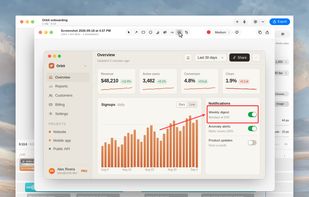

Beautiful screenshots with stunning backgrounds and powerful annotation tools. Create, edit, and share professional-quality screenshots with ease.


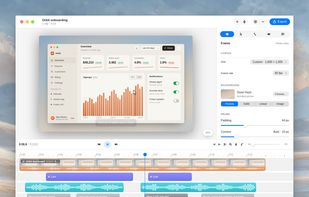
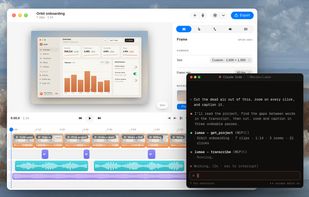
Motionik is described as 'Cross-platform screen recorder and editor for macOS (12.3+) and Windows 10+. It combines recording, zoom, cursor effects, and lightweight editing to help you create polished product demos, tutorials, and promo videos in minutes—no complex timeline editing required' and is a Screen Recorder in the video & movies category. There are more than 25 alternatives to Motionik for a variety of platforms, including Mac, Web-based, Windows, Google Chrome and Linux apps. The best Motionik alternative is OpenScreen, which is both free and Open Source. Other great apps like Motionik are ScreenArc, Camtasia, Cap and Screen Studio.
Beautiful screenshots with stunning backgrounds and powerful annotation tools. Create, edit, and share professional-quality screenshots with ease.


Enhances your storytelling through animated screenshot, add gradient background, images or video. Whether for presentation, social media posts, or engaging content creation, VibrantSnap provides the tools to make your visuals stand out and immersive.


Cursorful is a browser extension that creates beautiful screen recordings with zooms and pans that guide viewer focus.


Turn static images or a boring video into captivating animated clips that really capture attention. Ideal for Dribbble shots, Twitter videos, landing page videos, feature announements.


PolyCapture allows you to record cameras, microphones, screens, and apps — individually or multiple at once.


Boom Share AI is a free asynchronous video messaging tool designed to enhance communication in business and productivity settings. It allows users to record video messages using their camera or screen, making it ideal for freelancers, remote teams, and agencies.


Smooth Capture is a macOS app designed to create cinematic, professional-looking screen recordings with "zero effort" by automatically applying polished visual effects like auto-zoom, cursor smoothing, and 3D device framing.


Record Go: Screen Recorder is a user-friendly and practical application for screen capture. No matter whether it is to record tutorials, courses, demonstrations, meetings, games, film/TV series, or videos, Record Go: Screen Recorder could always save your time and offer great...


Turns screen recordings into branded, shareable videos with composite, multi-layout recording, background removal, auto-chapters, analytics, captions, comments, call-to-actions, permissions, fast app workflow, HD export, and multi-language support.


Comprehensive tool supporting all video creation stages with a doc-style editor, separate scene recording, auto-sync, customizable layout, and transcript-based editing.


A screen recorder comes with automated editing. Automatically track cursor movement, apply dynamic zoom and click effects, add a pleasant background, and generate a professional-looking video/gif that is ready to use.