Moonchild AI is an AI design platform built for product teams to design UI screens, user flows, and interactive prototypes that match their brand and design system. The platform helps teams move from product requirements and ideas to production-ready design directions in minutes.
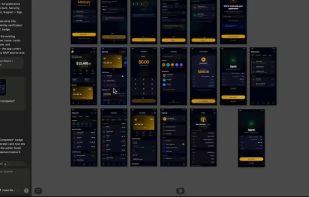
Moonchild allows users to generate interfaces from prompts, PRDs, screenshots, PDFs, references, and existing product experiences. Every generated screen remains editable, interactive, and connected inside a shared workspace designed for iteration and collaboration.
A core part of the platform is its design system workflow. Teams can import or recreate their design systems directly from Figma links, live product URLs, or GitHub repositories. Once connected, Moonchild generates outputs that follow the team’s actual components, styles, spacing, typography, and visual language. This allows product teams to create AI-generated designs that stay consistent with their brand instead of producing generic outputs.
The platform is designed for designers, product managers, and engineers working together across the product development process. Designers can explore and refine UI directions on a visual canvas. Product managers can turn requirements into flows and prototypes without manually designing every screen. Engineers can use Moonchild outputs as part of their development workflow through exports and integrations with modern AI coding environments like Cursor and Claude.
Moonchild also supports live interactive prototypes, allowing teams to quickly visualize and communicate product ideas before development begins. Users can combine multiple screens into flows, preview interactions instantly, and share prototypes with stakeholders.
Moonchild is a bridge between requirements, design systems, and code, helping product teams reduce friction between ideation, design exploration, prototyping, and implementation while maintaining consistency across the entire product experience.







 lotanna added Moonchild AI as alternative to Figma, Penpot, Paper Design, Uizard and 2 more

No comments or reviews, maybe you want to be first?