





mandarine
1 like
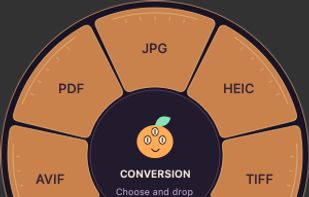
Mandarine is a free, open-source macOS app that helps you convert, edit, and organize files through drag-and-drop gestures and customizable keyboard shortcuts.

Cost / License
- Free
- Open Source (MIT)
Application typeApplication types
Since
- New
Updated
- Updated Oct 2026
Releases
- 2 releases last year2 last year


Features
Highlights All activities
mandarine News & Activities
Recent activities
- AmedeoSaadMichel added Image Optimizer as a feature to mandarine
- AmedeoSaadMichel added Lightweight as a feature to mandarine
- AmedeoSaadMichel added Privacy focused as a feature to mandarine
- AmedeoSaadMichel liked mandarine
- AmedeoSaadMichel added mandarine


Licensing
Open Source (MIT) and Free product.Written in
Alternatives
9 alternatives listedBadge
Get an embeddable badge for mandarineSupported Languages

AlternativeTo Categories
Video & Movies, Photos & Graphics, Office & ProductivityGitHub repository
- 1 Star
- 0 Forks
- 0 Open Issues
- Updated



No comments or reviews, maybe you want to be first?