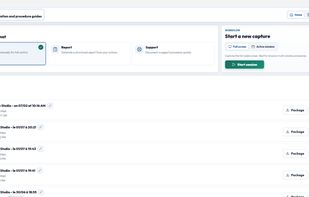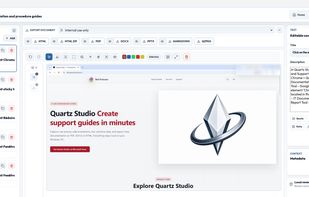
A local-first Windows alternative to cloud-based workflow documentation tools. Capture real actions, protect sensitive data and export professional guides — with no subscription.


MagicHow is described as 'Free step-by-step guide creation tool for automatic process documentation and creating instructional documents like how-to guides, manuals, tutorials, and standard operating procedures (SOPs)' and is a screenshot capture tool in the photos & graphics category. There are more than 10 alternatives to MagicHow for Web-based, Google Chrome, Windows, SaaS and Mac. The best MagicHow alternative is Quartz Studio. It's not free, so if you're looking for a free alternative, you could try Guidejar or Steps Recorder. Other great apps like MagicHow are Scribehow, BetterStepsRecorder, Folge and Tango - Screenshot Workflow Builder.
A local-first Windows alternative to cloud-based workflow documentation tools. Capture real actions, protect sensitive data and export professional guides — with no subscription.


Transform documentation with AI-powered guides and demos. Enjoy seamless workflow capture via the browser, embed online, and customize with branding. Optimize guide visibility with SEO and enhance engagement using no-code features like click targets and CTAs.


Steps Recorder (called Problems Steps Recorder in Windows 7), is a program that helps you troubleshoot a problem on your device by recording the exact steps you took when the problem occurred.

Automates step-by-step workflow guides by capturing browser or desktop actions, using AI to create editable, customizable manuals with screenshots, supporting sharing, integration, exporting to multiple formats, and enabling organizations to maintain up-to-date SOPs, training, and documentation.


The "Better Steps Recorder" is a modern alternative to the now-deprecated PSR.exe tool, offering enhanced functionality and ease of use. Designed to document user actions with precision, this application captures screenshots and metadata of every step, making it ideal...
The fastest tool for creating step-by-step guides. A desktop tool to capture steps with every click of the mouse, customize screenshots, create annotations, and generate the final guide in HTML, .doc, PDF, and more.


It creates workflows based on screenshots in a very simple and intuitive way. Tango is a magical tool for creating how-to guides.

Dubble watches how you work and translates your actions into written step-by-step guides, videos and screenshots - so you don’t have to.


Tired of manually documenting processes? Guide to Docs is the ultimate Chrome extension that records your screen actions and instantly generates professional user guides — complete with screenshots and step-by-step instructions.


Fastest way to create step-by-step guides. Perfect for automatic process documentation, screenshot instructions, how-to guides and SOP documents! Great free alternative to ScribeHow or Guidde.


Capture your company’s unique procedures with customizable, step-by-step guides that enhance employee performance.
Instructio allows you to create clear and beautiful step-by-step guides in minutes. You can use the editor to manually create and customize guides by adding images and videos, fonts and design styles. But you can also automate the process of creating instructions using an...