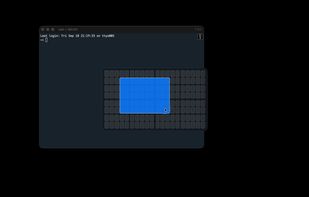
Loop - Window Management Alternatives

Loop - Window Management is described as 'Loop is a macOS app that simplifies window management for you! You can effortlessly choose your window direction using a radial menu triggered by a simple key press, and customize it according to your preferences with personalized colors and settings' and is a Window Manager in the os & utilities category. There are more than 25 alternatives to Loop - Window Management for a variety of platforms, including Mac, Windows, Linux, BSD and KDE Plasma apps. The best Loop - Window Management alternative is Rectangle, which is both free and Open Source. Other great apps like Loop - Window Management are Spencer for Mac, SnapZones, AquaSnap and MacsyZones.

Copy a direct link to this comment to your clipboard
Loop - Window Management alternatives page was last updated

Alternatives list

  1. Window management utility on macOS enabling window snapping, 2- and 3-zone layouts, app rotation, keyboard and trackpad gesture controls, plus overview mode for fast app assignment and switching, offering efficient multitasking in customizable zones.

    Cost / License

    • Paid
    • Proprietary

    Application type

    Platforms

    • Mac
     
  2. ?? Moves makes it easier than ever to position your windows juuust right.

    ? Just hold down your chosen modifier keys and move the mouse. No need to fiddle with 3px wide window edges or far way title bars.

    Cost / License

    • Paid
    • Proprietary

    Application type

    Platforms

    • Mac
     
  3. Snapback icon
     Like

    Free macOS window manager that saves and restores your entire workspace layout with one keystroke. Every app, every window position, every display. Includes window snapping, drag-to-snap, and unlimited named workspaces.

    Cost / License

    • Freemium
    • Proprietary

    Platforms

    • Mac
     
  4. Ankylix icon
     Like

    Ankylix brings Vimium-style keyboard hints to macOS window management. Hit a hotkey and a letter appears on every window and tiling zone — press it to instantly focus, move, resize, or tile, without ever touching the mouse.

    Cost / License

    • Freemium
    • Proprietary

    Application type

    Platforms

    • Mac
     
  5. ScreenPlace remembers exactly where every window should be on your Mac and automatically puts it back in its place. Never rearrange or resize a window again because ScreenPlace can handle it for you automatically.

    Cost / License

    • Freemium
    • Proprietary

    Application type

    Platforms

    • Mac
     
  6. Layoutish icon
     Like

    Saves complete macOS window layouts and restores them with one click or hotkey, including multi-monitor and multi-Space setups.

    Cost / License

    • Paid
    • Proprietary

    Application type

    Platforms

    • Mac
     
  7. MacOS toolbar utility application that makes window management easier.

    Cost / License

    • Free
    • Open Source (MIT)

    Application type

    Platforms

    • Mac
     
You are at page 4 of Loop - Window Management alternatives