





Shoji
Like
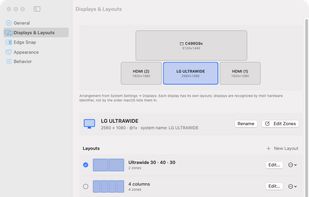
Shoji is a menu bar app for macOS. In an on-screen editor you draw zones on each of your monitors; then you hold a key while dragging a window, let go over a zone, and the window fills it. Every monitor keeps its own layouts, and they come back when you plug that monitor in...

Cost / License
- Pay once
- Proprietary
Platforms
- Mac

Features
Shoji News & Activities
Highlights All activities
Recent activities
- Guido Crego added Shoji
 Guido Crego added Shoji as alternative to Rectangle, Zones for Mac, Microsoft PowerToys, Moom and 7 more

Shoji information
Developed by
 Guido Crego
 Licensing
Proprietary and Commercial product.Pricing
One time purchase (perpetual license) that costs $5.Alternatives
11 alternatives listedBadge
Get an embeddable badge for ShojiSupported Languages


No comments or reviews, maybe you want to be first?