


LibreOffice
Comprehensive free office suite supporting word processing, advanced spreadsheets, dynamic presentations, vector drawings, math formulas, and robust database management. Fully compatible with major office formats across all operating systems, it offers extensive capabilities for personal or professional tasks.
Cost / License
- Free
- Open Source (GPL-3.0)
Application types
 EU
EUPlatforms
- Mac
- Windows
- Linux
- Android
- BSD
- Snapcraft
- Flathub
- PortableApps.com
- F-Droid
- Flatpak


Features
Properties
- Customizable
- Privacy focused
- Lightweight
Features
 Compatible with Microsoft Office
- Ad-free
- Works Offline
- Print to PDF

- GNU/linux-libre
- Multiple languages
- Community-based
- Built-in PDF converter
- Export to PDF
- Export to office formats
- Multiplatform
- Spell Checking
- Extensible by Plugins/Extensions
- No registration required
- Dark Mode
- Convert Word documents to PDF
- No Tracking
- Export to CSV
- Portable
- Charts
- Import CSV Data
- WYSIWYG Support
- Flow diagram visualisation
- Mail Merge
 Google Drive integration
- Facilities Management

LibreOffice News & Activities
Recent News
- POX published news article about LibreOffice
 LibreOffice 26.2 adds Markdown import/export, better Excel compatibility, and speed boost
LibreOffice 26.2 delivers a wide range of updates focused on interoperability and usability. Markdo...
- Fla published news article about LibreOffice Viewer
 LibreOffice Viewer launched for Meta Quest VR on Horizon OS
LibreOffice Viewer is now available for Meta Quest VR devices running Meta Horizon OS, extending it...
- Fla published news article about LibreOffice
 LibreOffice 25.8.3 released for Windows, MacOS, and Linux
LibreOffice 25.8.3, the latest update to the free office suite, is now available for Windows, MacOS...


Recent activities


Featured in Lists

Must have

This is going to be a list of the free tools/software that can be used mostly in any field. it's based on websites …

These are all the software I use on my windows machine. I am privacy freak. So, I mostly use open source software. …
What is LibreOffice?
LibreOffice is a free and open-source office suite that is compatible with other major office suites, and is available on all operating systems. It is an independently-developed version of the OpenOffice.org suite.
The office suite includes:
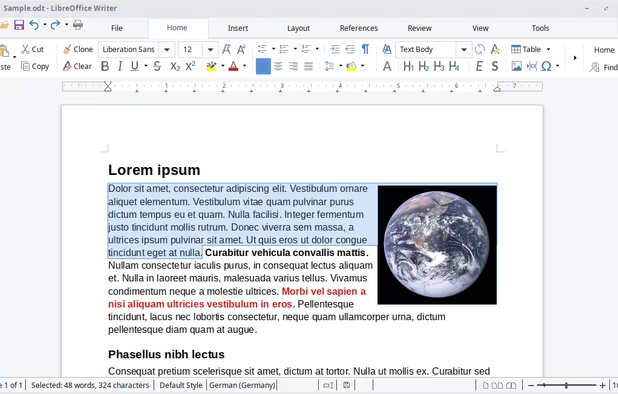
 LibreOffice - Writer, a word processor with similar functionality and file support to
  Microsoft Word . It has extensive WYSIWYG word processing capabilities, but can also be used as a basic text editor.
 LibreOffice - Calc , a spreadsheet program, similar to
  Microsoft Excel . It has a number of unique features, including a system which automatically defines series of graphs, based on information available to the user.
 LibreOffice - Impress , a presentation program resembling
  Microsoft PowerPoint . Presentations can be exported as SWF files, allowing them to be viewed on any computer with Adobe Flash installed.
 LibreOffice - Draw , a vector graphics editor and diagramming tool similar to
  Microsoft Visio . It provides connectors between shapes, which are available in a range of line styles and facilitate building drawings such as flowcharts. It also includes features similar to desktop publishing software such as
  Scribus and
  Microsoft Publisher .
 LibreOffice - Math , an application designed for creating and editing mathematical formulae.
 LibreOffice - Base , a database management program, similar to
  Microsoft Office Access .
LibreOffice Videos


LibreOffice information
Developed by
 The Document Foundation
 Licensing
Open Source (GPL-3.0) and Free product.Rating
Average rating of 4.5Alternatives
54 alternatives listedNews
13 news article related to LibreOfficeSupported Languages
- English
- Arabic


Comments and Reviews
It is open source and amazingly helpful piece of software, once you get used to, you won't go back to any other office package.
I use it since the fork from OpenOffice and it's still as bad as it was: unstable with a lot of bugs to the point you work with it on anything more more than a simple text file and of course the UI is very bad.
I've been using the word processor and spreadsheets for ages on Linux, years on Windows and occasionally on macOS. It's been a long time since I found it necessary to keep a copy of Microsoft Office around for compatibility.
There's no mobile or online version, but Collabora and Nextcloud Office are based on it. (Downside: you have to find a provider or self-host the cloud versions.) Collabora's mobile app can open local files on your phone or on Nextcloud/Dropbox/etc. if you have those apps installed.
Been using this software for atleast a year at this point and honestly it's what has gotten me into writing! it's easy to use, open source, on multiple platforms and most important of all it has no AI! :D
My favored alternative to Word. I don't use it enough to leave a detailed comparison, but I do notice it seems to update a lot (which makes me want to uncheck it during my general updates because it's lengthy and ongoing), but from what I read, updates are done on a schedule. It seems that about a week almost every month is taken for the bug fixes.
A very solid open source alternative to Word
A good alternative to Word.