


LaunchDeck: App Launcher
3 likes
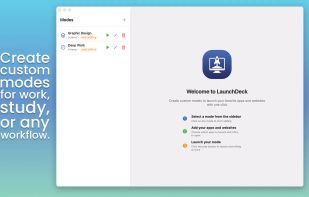
Create customizable launch modes to group apps and websites on macOS, launch them instantly with shortcuts or menu bar access, open multiple browser tabs at once, streamline workflows for different contexts like work, design, or study, all in a minimal interface.

Cost / License
- Pay once
- Proprietary
Application type
Platforms
- Mac


Features
Highlights All activities
LaunchDeck: App Launcher News & Activities
Recent News
No news, maybe you know any news worth sharing?
Share a News Tip
Recent activities
 GrabThat-Developer added LaunchDeck: App Launcher as alternative to GrabThat
 SuperCommands added LaunchDeck: App Launcher as alternative to SuperCommands
 Paul added LaunchDeck: App Launcher as alternative to Look
 Paul added LaunchDeck: App Launcher as alternative to Tinycast
 jamalal68 added LaunchDeck: App Launcher as alternative to Iwan Dock
 Danilo Venom added LaunchDeck: App Launcher as alternative to Keboard
 xoshbin added LaunchDeck: App Launcher as alternative to Asyar
 Danilo Venom added LaunchDeck: App Launcher as alternative to Ctrl Deck
 Paul added LaunchDeck: App Launcher as alternative to SuperCmd
 slev added LaunchDeck: App Launcher as alternative to Brow


Developed by
LB StudiosLicensing
Proprietary and Commercial product.Pricing
One time purchase (perpetual license) that costs $6.Alternatives
68 alternatives listedBadge
Get an embeddable badge for LaunchDeck: App LauncherSupported Languages


No comments or reviews, maybe you want to be first?