Keefox Alternatives

Keefox is described as 'Login automatically, never forget another password, stay in control of your passwords and improve their security. Powered by the world-renowned KeePass Password Safe' and is a password manager in the web browsers category. There are more than 100 alternatives to Keefox for a variety of platforms, including Windows, Android, Mac, iPhone and Web-based apps. The best Keefox alternative is Bitwarden, which is both free and Open Source. Other great apps like Keefox are LastPass, 1Password, Keepass2Android and KeeWeb.

Copy a direct link to this comment to your clipboard
Keefox alternatives page was last updated

Alternatives list

  1. Copy a direct link to this comment to your clipboard

    Password and secret manager entirely based on Google Drive. Store your sensitive information encrypted in your Google Drive account.

    Cost / License

    • Freemium (Subscription)
    • Proprietary

    Application type

    Platforms

    • Mac
    • Windows
    • Android
    • iPhone
    • Android Tablet
    • iPad
    • Google Chrome
    • Software as a Service (SaaS)
     
  2. SaferPass icon
     7 likes
    Copy a direct link to this comment to your clipboard

    SaferPass can automatically log you in, and help backup your passwords for simple searching. No need to remember your passwords for every site.

    And with the SaferCloud, you can even sync your passwords securely and easily among multiple machines!

    Cost / License

    • Freemium (Subscription)
    • Proprietary

    Application type

    Platforms

    • Mac
    • Online
    • Android
    • iPhone
    • Android Tablet
     
  3. Copy a direct link to this comment to your clipboard

    mPass Password Manager is the best password manager app that allows you to keep and manage passwords, logins, and other private info safe and secure in one encrypted database and access them anywhere on any device.


    Cost / License

    • Freemium (Subscription)
    • Proprietary

    Application type

    Platforms

    • Windows
    • Android
    • iPhone
    • Android Tablet
    • iPad
     
  4. Copy a direct link to this comment to your clipboard

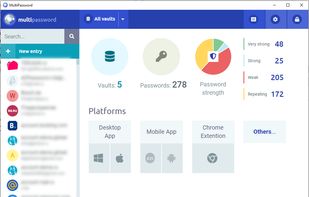
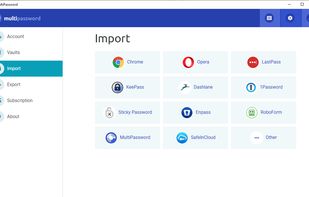
    Secure password storage with the MultiPassword.com password manager featuring syncing across devices and web browsers.

    Cost / License

    • Freemium (Subscription)
    • Proprietary

    Application type

    Platforms

    • Online
    • Android
    • Microsoft Edge
    • Google Chrome
    • Yandex.Browser
    • Opera
    • Brave
     
  5. Secure Login icon
     9 likes
    Copy a direct link to this comment to your clipboard

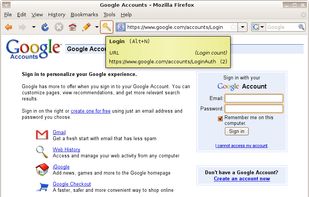
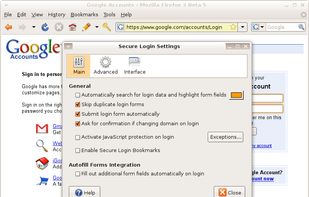
    Secure Login is a login extension for Mozilla Firefox integrated password manager. Its main feature is similar to Opera - Wand login.

    Cost / License

    • Free
    • Proprietary

    Application type

    Platforms

    • Mac
    • Windows
    • Linux
    • Sunbird
    • Thunderbird
    • SeaMonkey
    • Firefox
     
  6. Copy a direct link to this comment to your clipboard

    The Password Gorilla helps you manage your logins. It stores all your user names and passwords, along with login information and other notes, in a securely encrypted file. A single "master password" is used to protect the file.

    Cost / License

    • Free
    • Open Source

    Application type

    Alerts

    • Discontinued

    Platforms

    • Mac
    • Windows
    • Linux
    • PortableApps.com
     
  7. Copy a direct link to this comment to your clipboard

    Penteract Password Manager™ lets you keep your passwords on your device, not in the cloud, and is free of monthly charges. With one click your password is copied, and your web browser is launched to the appropriate website.

    Cost / License

    • Pay once
    • Proprietary

    Application type

    Platforms

    • Windows
    • Android
    • iPhone
     
  8. Copy a direct link to this comment to your clipboard

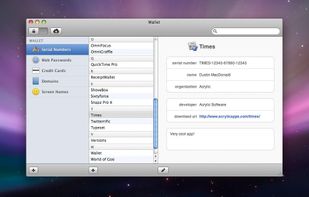
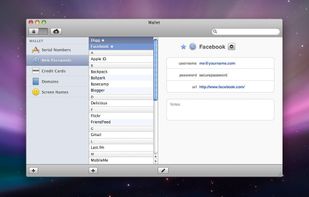
    Think of Wallet as your own flexible, personal database. Besides web passwords, serial numbers, and credit cards, it can be used to keep almost any sort of data you can think of! Domain names, grocery items, locations of Wi-Fi hotspots, etc.

    Cost / License

    • Paid
    • Proprietary

    Application type

    Platforms

    • Mac
    • iPhone
     
  9. Copy a direct link to this comment to your clipboard

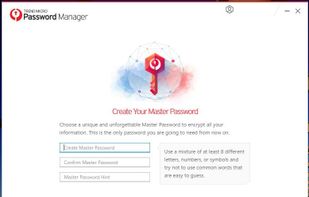
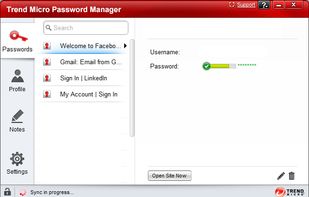
    With Trend Micro Password Manager, you can safely sign into your favorite websites or access your personal information. Password Manager can keep all kinds of passwords safely for you, including passwords for apps and games.

    Cost / License

    • Freemium (Subscription)
    • Proprietary

    Application type

    Platforms

    • Windows
    • Android
    • iPhone
    • iPad
    • Google Chrome
    • Microsoft Edge
    • Mozilla Firefox
     
  10. Copy a direct link to this comment to your clipboard

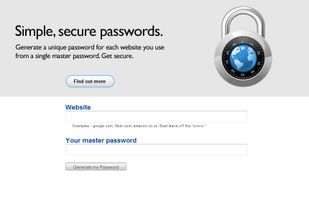
    Password generator. You supply the website and a master password, it generates you a password for that website. You remember only a single master password and can generate different passwords for each website you visit.
    Cost / License

    • Free
    • Proprietary

    Platforms

    • Online
     
  11. WinKee icon
     1 like
    Copy a direct link to this comment to your clipboard

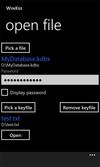
    Decrypt your password database anywhere, whether they are protected by a password or a key file. WinKee even works with OneDrive and other cloud storage platforms - that way, your password database stays always up-to-date.

    Cost / License

    • Free
    • Proprietary

    Alerts

    • Discontinued

    Platforms

    • Windows Phone
     
  12. Copy a direct link to this comment to your clipboard

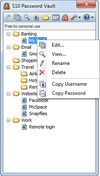
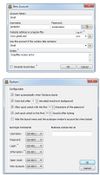
    S10 Password Vault enables you to store all your usernames and passwords in a 256-bit AES encrypted database from where you can easily access and enter them into the login form. When you visit a website for which you have stored login information, you can simply click into the...
    Cost / License

    • Free
    • Proprietary

    Application type

    Platforms

    • Windows
    • Android
     
You are at page 6 of Keefox alternatives