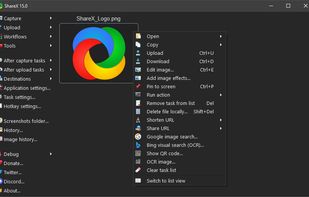
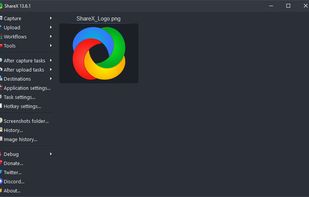
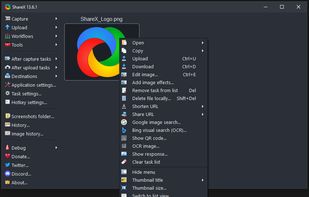
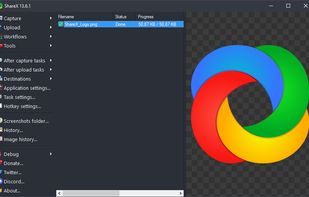
Open-source screen capture and file sharing tool with recording, editing, and annotation features. Supports 4K, dark mode, theming, offline use, and offers a lightweight, ad-free experience without tracking user data.


iShot is described as 'Excellent, full-featured area screenshot, window screenshot, multi-window screenshot, long screenshot, shell screenshot, time-lapse screenshot, quick annotation, texture, color picking, screen recording, audio recording, OCR, screenshot translation tool on Mac' and is a screenshot capture tool in the photos & graphics category. There are more than 10 alternatives to iShot for a variety of platforms, including Mac, Windows, Google Chrome, Linux and Mozilla Firefox apps. The best iShot alternative is ShareX, which is both free and Open Source. Other great apps like iShot are Snagit, Spectacle, Shottr and CleanShot X.
Open-source screen capture and file sharing tool with recording, editing, and annotation features. Supports 4K, dark mode, theming, offline use, and offers a lightweight, ad-free experience without tracking user data.


Advanced screen capture and recording tool enabling image or video captures directly from your screen. Includes editing features like callouts, transparency, and effects to enhance visuals. Organize and easily share creations through documents, presentations, or favorite applications.


Spectacle is a simple application for capturing desktop screenshots. It can capture images of the entire desktop, a single monitor, the currently active window, the window currently under the mouse, or a rectangular region of the screen.

Shottr is a compact screenshot app designed for pixel precision and optimized for macOS Silicon devices.


Capture and record screens on Mac with CleanShot X, featuring seamless recording, custom keyboard shortcuts, customizable wallpapers, Quick Access Overlay, and Desktop icon toggle for a tidy user interface.


Enables screen and webcam capture, detailed video and screenshot editing, organized meeting notes, AI-powered transcription, and cloud-based instant sharing of annotated visual content via direct links or drag-and-drop integration with communication apps on Windows and Mac.


Snipaste is a simple but powerful snipping tool, and also allows you to pin the screenshot back onto the screen. Snip. Then paste. Free. Customizable. Portable.


Monosnap allows you to save screenshots easily, conveniently, and quickly, sharing them with friends and colleagues at once.


Capture full web page screenshots in Firefox, Chrome, Opera, Pale Moon or Internet Explorer Quick screenshots and annotations!


Capture the whole page or any portion, annotate it with rectangles, circles, arrows, lines and text, one-click upload to share.


Managing the windows on your computer has become a snap! With the iSnap app, you can organize various windows to fit perfectly on your screen and access them simultaneously!


Frset is an all-in-one macOS productivity app combining clipboard management, screenshots, OCR, translation, AI shortcuts, and useful utilities in one place.