
Iruka icon
Iruka icon

Iruka

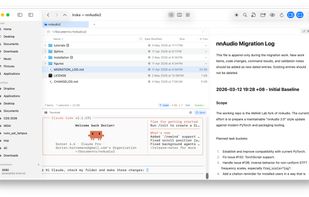
Iruka is a fast, native macOS file manager inspired by KDE's Dolphin - with a terminal that follows your folder, dual pane browsing, one-click SSH & SCP, git integration, beautiful Markdown and code previews, in-place editing, and Power Search with grep & regex.
Iruka screenshot 1

Cost / License

  • Pay once
  • Proprietary

Application type

Platforms

  • Mac
0likes
0articles
Save

Features

Properties

  1.  Lightweight

Features

  1.  Ad-free
  2.  File Tagging
  3.  Dark Mode
  4.  No Tracking
  5.  Full-Text Search
  6.  Support for MarkDown
  7.  Live Preview
  8.  Supports Zip files
  9.  Batch Rename Files
  10. Git icon  Git Support
  11.  Portable
  12.  Built-in viewer
  13.  Works Offline
  14.  No registration required
  15.  SSH
  16.  Built-in File Manager
  17.  Support for SFTP
  18.  Dual Pane Support
  19.  Built-in terminal emulation

Iruka News & Activities

Highlights All activities

Recent activities

Iruka information

  • Developed by

    SG flagDorien Herremans
  • Licensing

    Proprietary and Commercial product.
  • Pricing

    One time purchase (perpetual license) ranging between $20 and $40.
  • Alternatives

    46 alternatives listed
  • Badge

    Get an embeddable badge for Iruka
  • Supported Languages

    • English

AlternativeTo Categories

File Management, Development
Iruka was added to AlternativeTo by Dorien Herremans on and this page was last updated .

No comments or reviews, maybe you want to be first?

What is Iruka?

Iruka is a native macOS file manager for developers and people who live in the terminal. It's written in Swift (not Electron) and inspired by KDE's Dolphin. Its main feature is a built-in terminal that stays in sync with the folder you're browsing, so you never have to cd to where you already are. Syncing pauses on its own while a long-running command is active.

Main features:

  • Synced terminal panel that follows the current folder, with adjustable text size
  • Dual-pane browsing with drag and drop between panes
  • List, column and icon views, remembered per folder
  • Editable path bar with Tab autocompletion
  • Rich previews: GitHub-flavored Markdown, CSV as a grid, syntax highlighting for 60+ languages, plus images, PDFs and video via Quick Look
  • In-place editing of text and code files from the preview pane, with auto-save
  • Saved SSH servers that connect in one click, with the terminal opening already logged in
  • SCP upload and download from the right-click menu
  • Cloud mounts for S3 buckets, SFTP servers and WebDAV shares, browsable like local folders
  • Git integration: status, staging, commit, push, pull, diffs against HEAD, and hand-off to external merge tools (VS Code, FileMerge, Kompare, Araxis)
  • A Review pane showing files changed by AI coding agents such as Claude Code
  • Power Search across file contents with grep and regex, filtered by type, extension or date, with no indexing needed
  • Batch rename with a live preview before applying
  • A drop stack for parking files to move or copy later, undoable with ⌘Z
  • Quick development cycle: ask for your personal feature and we consider.

Iruka requires macOS 14 Sonoma or later and runs natively on Apple Silicon and Intel.

Iruka Videos
