Inkscape Alternatives for Mac

There are many alternatives to Inkscape for Mac if you are looking for a replacement. The best Mac alternative is Linearity Curve, which is free. If that doesn't suit you, our users have ranked more than 100 alternatives to Inkscape and loads of them are available for Mac so hopefully you can find a suitable replacement. Other interesting Mac alternatives to Inkscape are Adobe Illustrator, Affinity, LibreOffice - Draw and GodSVG.

filter to find the best alternatives

Inkscape alternatives are mainly Vector Graphic Apps, but if you're looking for Digital Painting Tools or Graphic Design Tools you can filter on that. Other popular filters include iPad, Android, Linux, Free, Online, Open Source and Android + Free. You can also filter by region, for example EU-based alternatives if you prefer software developed in the European Union. These are just examples - use the filter bar below to find more specific alternatives to Inkscape.
Copy a direct link to this comment to your clipboard
Inkscape alternatives page was last updated

Alternatives list

  1. Linearity Curve icon
     354 likes

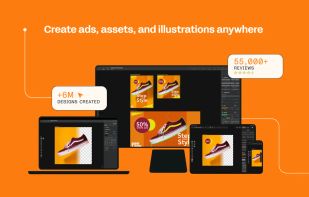
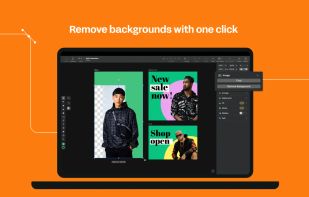
    Desktop vector design for Mac with tools for complex illustrations, SVG conversion, Auto Trace, AI-powered background removal, advanced typography, layers, artboards, gradient support, real-time collaboration, and seamless compatibility with design files.

    39 Linearity Curve alternatives

    Cost / License

    • Freemium
    • Proprietary

    Platforms

    • Mac
    • iPhone
    • iPad
     
    |
    3
    Linearity Curve vs Inkscape Comments
    Guest
    Negative
    3

    Because you only get 10 free “curves” - it’s misleading

    Review by a new / low-activity user.
    Volconon
    Negative
    3

    Requires Subscription to Export in SVG, or go beyond 1024x1024 in the formats you are allowed!!!

    Guest
    Positive
    -3

    ease of use, low learning curve, active development and support

    Review by a new / low-activity user.
    • Linearity Curve is Freemium and ProprietaryInkscape is Free and Open Source
  2. This vector graphics editor offers sophisticated tools for drawing, typography, and color management. Equipped with powerful features like multiple art boards, Blob Brush for vector painting, and transparency in gradients, it supports designs for print, web, interactive, motion, and mobile platforms.

    94 Adobe Illustrator alternatives

    Cost / License

    • Paid
    • Proprietary

    Platforms

    • Mac
    • Windows
    • Online
    • iPad
     
    |
    3
    Adobe Illustrator vs Inkscape Comments
    GarretJones136
    Positive
    -7

    No words to say how good it is.

    Guest
    Positive
    -6

    Clean user interface makes up for good workflow.

    Review by a new / low-activity user.
    Guest
    Positive
    -8

    Its a very reliable service-- i would consider it better than inkscape

    Review by a new / low-activity user.
    • Adobe Illustrator is Paid and ProprietaryInkscape is Free and Open Source
  3. Affinity icon
     61 likes

    Unified design solution merging advanced photo, vector, and layout tools for seamless workflow, non-destructive editing, RAW support, batch processing, AI enhancements, GPU acceleration, file compatibility, cloud asset integration, and tailored workspace options.

    66 Affinity alternatives

    Cost / License

    • Freemium
    • Proprietary

    Platforms

    • Mac
    • Windows
     
  4. Draw lets you produce anything from a quick sketch to a complex plan, and gives you the means to communicate with graphics and diagrams. With a maximum page size of 300cm by 300cm, Draw is a an excellent package for producing technical drawings, general posters, and much else.

    98 LibreOffice - Draw alternatives

    Cost / License

    Platforms

    • Mac
    • Windows
    • Linux
    • BSD
    • PortableApps.com
    • Flathub
     
    |
    4
    LibreOffice - Draw vs Inkscape Comments
    Guest
    Negative
    15

    LibreOffice Draw is a very simple drawing suite. It may be sufficient for many, but not sufficient to be declared an alternative to InkScape.

    Review by a new / low-activity user.
    Guest
    Negative
    7

    LibreOffice draw is good for schemes, but not for what Inkscape does - Inkscape is a graphic design tool, not a scheme creator.

    Review by a new / low-activity user.
    Sebastian
    Positive
    0

    As good as Inkscape and its FOSS.

    3 of 4 comments
    • LibreOffice - Draw is Free and Open SourceInkscape is also Free and Open Source
  5. GodSVG icon
     34 likes

    Interactive vector editor built with Godot for creating or editing SVG files, featuring UI-based element manipulation, live code updates, direct markup access, no added metadata, minimal abstraction, clean output, and intended use on desktop plus mobile devices.

    Cost / License

    • Free
    • Open Source (MIT)

    Application type

    Platforms

    • Mac
    • Windows
    • Linux
    • Online
    • Android
     
    |
    1
    GodSVG vs Inkscape Comments
    isaacsgraphic2
    Negative
    0

    GodSVG is not much like Inkscape - it's a very limited interface for editing svg code, but not really a tool for illustration, design or text. It seems like a nice tool, just not a good alternative to Inkscape.

    • GodSVG is Free and Open SourceInkscape is also Free and Open Source
  6. Suite featuring tools for vector illustration, image editing, page layout, bitmap tracing to convert bitmaps to vectors, asset browsing, web page creation, screen capture, file compatibility, color management, and professional multi-page document design.

    88 CorelDRAW Graphics Suite alternatives

    Cost / License

    • Paid
    • Proprietary

    Platforms

    • Mac
    • Windows
    • Online
     
  7. Boxy SVG icon
     49 likes

    Vector editor for browser with transforms, symbol management, boolean ops, freehand and Bezier paths, advanced shape tools, gradients, raster import/export, grouping, Google Fonts, customizable shortcuts, and HTML5 serialization for diverse designs.

    Cost / License

    • Paid
    • Proprietary

    Platforms

    • Mac
    • Linux
    • Online
    • Flathub
    • Android
     
    |
    2
    Boxy SVG vs Inkscape Comments
    Guest
    Positive
    0

    I can rotate the picture better than inkscape

    Review by a new / low-activity user.
    Guest
    Positive
    -1

    Super intuitive for creating, and manipulating vector graphics. Solved in 10 min. what others couldn't after hours.

    Review by a new / low-activity user.
    • Boxy SVG is Paid and ProprietaryInkscape is Free and Open Source
  8. LazPaint icon
     46 likes

    Raster & vector graphic editor with many tools and filters, written in Lazarus. Portable, 32bit & 64bit versions, ORA format & 16384x16384 image support. In app 3D import & rendering.

    43 LazPaint alternatives

    Cost / License

    Platforms

    • Mac
    • Windows
    • Linux
    • BSD
    • PortableApps.com
    • Flathub
    • Flatpak
     
  9. Graphic icon
     37 likes

    Vector illustration app for macOS, iPhone, and iPad offering advanced design tools, SVG, PDF, and PSD support, touch and Apple Pencil compatibility, layers, shape and path editing, precise layout controls, professional workflows, and nondestructive object editing.

    35 Graphic alternatives

    Cost / License

    • Paid
    • Proprietary

    Application type

    Platforms

    • Mac
    • iPhone
    • iPad
     
  10. Repath Studio icon
     3 likes

    A cross platform vector graphics editor, that combines procedural tooling with traditional design workflows. It includes an interactive shell, which allows evaluating code to generate shapes, or even extend the editor on the fly.

    7 Repath Studio alternatives

    Cost / License

    Application type

    Platforms

    • Mac
    • Windows
    • Linux
     
  11. Drawtify icon
     7 likes

    Free Online Vector Graphic Editor with Great Design Templates and Elements. With powerful vector editor, you can create beautiful graphics online for free, such as SVG graphics, vector logos, infographics, flyer, poster, banners, etc.

    Cost / License

    • Freemium
    • Proprietary

    Platforms

    • Mac
    • Windows
    • Online
    • Software as a Service (SaaS)
     
  12. Amadine icon
     6 likes

    Amadine is a macOS vector graphics app designed for both beginners and pros, offering a user-friendly interface, precision design tools, multiple layers, and a seamless workflow. It's developed by BeLight Software, emphasizing intuitive use and versatile creativity.

    Cost / License

    • Paid
    • Proprietary

    Platforms

    • Mac
    • iPhone
    • iPad
     
12 of 50 Inkscape alternatives