





Boxy SVG
51 likes
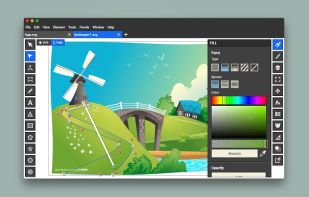
Vector editor for browser with transforms, symbol management, boolean ops, freehand and Bezier paths, advanced shape tools, gradients, raster import/export, grouping, Google Fonts, customizable shortcuts, and HTML5 serialization for diverse designs.

Cost / License
- Pay once or Subscription
- Proprietary
Application typeApplication types
 EU
EUPlatforms
- Mac
- Linux
- Online
- Android
- Flathub
- Linux Mobile


Features
Boxy SVG News & Activities
Highlights All activities
Recent News
- Paul published news article about Inkscape

Recent activities




Featured in Lists


The software I'll install on my laptop once I ditch macOS for Linux
Spoiler: I've switched to Linux for my main computer, and here's what I'm currently using.


Academia & Skills
A list with 422 apps by AmileyaRyver without a description.


Edge/Chrome Extensions
A list with 209 apps by trishafhhmoam without a description.


What is Boxy SVG?
Boxy SVG information
Developed by
 Jaroslaw Foksa
 Licensing
Proprietary and Commercial product.Pricing
One time purchase that costs $20, and / or subscription ranging between $10 and $100 per month.Alternatives
60 alternatives listedBadge
Get an embeddable badge for Boxy SVGSupported Languages


Comments and Reviews
As the others have said, it's a nice, clean, simple SVG editor. It's a shame that macOS and Windows users don't have access to the FOSS version (and that's the deduction of the one star). I use the flatpak on Linux and it does what I need it to do. Unfortunately I won't be able to recommend it to many of my techs who live in the third world and don't have a software budget, and who don't use Linux.
Pretty good vector graphic design software. It's not as complete as Inkscape or Illustrator, but it's pretty lightweight, and it does the job when you have quick edits to do. I use it on Linux, so the software is actually free, which is very nice! I use it alongside Inkscape, which I use for more complex projects.
It seems that this program is no longer free. ($ 9,99)
It really would be nice if authors would state the change in their description.