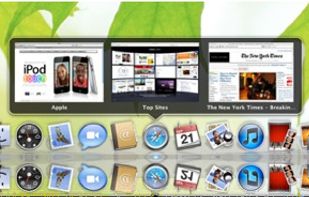
InfyniDock Alternatives

InfyniDock is described as 'Alternative dock for macOS that provides an expanded window of open windows without collapsing them. It offers keyboard shortcuts to switch between windows and allows for customizable themes' and is a application launcher in the os & utilities category. There are more than 25 alternatives to InfyniDock for a variety of platforms, including Mac, Windows, Linux, BSD and KDE Plasma apps. The best InfyniDock alternative is RocketDock, which is free. Other great apps like InfyniDock are Cairo-Dock, Docky, ObjectDock and Winstep Nexus.

Copy a direct link to this comment to your clipboard
InfyniDock alternatives page was last updated

Alternatives list

  1. Dock icon
     11 likes
    Copy a direct link to this comment to your clipboard

    In macOS, the Dock is used as a repository for any program or file in the operating system. It can hold any number of items and resizes them dynamically to fit while using magnification to clarify smaller resized items.

    49 Dock alternatives

    Cost / License

    • Free
    • Proprietary

    Application type

    Platforms

    • Mac
     
  2. ActiveDock 2 icon
     4 likes
    Copy a direct link to this comment to your clipboard

    ActiveDock 2 is a customizable alternative to the standard macOS Dock, offering advanced features for app launching, window management, appearance customization, and more. It fully replaces the classic Apple Dock and Launchpad while preserving their familiar look and behavior...

    92 ActiveDock 2 alternatives

    Cost / License

    • Pay once
    • Proprietary

    Application type

    Platforms

    • Mac
     
  3.  1 like
    Copy a direct link to this comment to your clipboard

    Fully configurable (w/ command line arguments and css) dock, written in Go, aimed exclusively at sway Wayland compositor. It features pinned buttons, task buttons, the workspace switcher and the launcher button.

    Cost / License

    • Free
    • Open Source

    Platforms

    • Linux
     
  4. Dragthing icon
     7 likes
    Copy a direct link to this comment to your clipboard

    DragThing is the original dock designed to tidy up your Macintosh desktop.

    It puts all your documents, folders, and applications just a single click away. Highly flexible, it allows multiple docks, each customised to suit your exact needs.

    It stores frequently-used clippings su.

    69 Dragthing alternatives

    Cost / License

    • Freemium (Pay once)
    • Proprietary

    Application type

    Alerts

    • Discontinued

    Platforms

    • Mac
     
  5. GnomePanel icon
     21 likes
    Copy a direct link to this comment to your clipboard

    Gnome Panel is a component that is part of GnomeFlashback and provides panels and default applets for the desktop. A panel is a horizontal or vertical bar that can be added to each side of the screen. By default there is one panel on the top of the screen and one on the bottom...

    Cost / License

    • Free
    • Open Source

    Application type

    Platforms

    • Linux
    • GNOME
     
  6. Circle Dock icon
     17 likes
    Copy a direct link to this comment to your clipboard

    The idea behind Circle Dock is that the dock should appear where your mouse is instead of you having to move your mouse to the dock like with other programs. This is accomplished by making the dock a circular or spiral shape so that it can be placed anywhere, even near the edge...

    Cost / License

    • Free
    • Open Source

    Application type

    Alerts

    • Discontinued

    Platforms

    • Windows
     
  7. Multi Dock icon
     1 like
    Copy a direct link to this comment to your clipboard

    MultiDock is a simple application that allows you to organize frequently used applications, documents and folders using small panels (Dock’s).

    Cost / License

    • Pay once
    • Proprietary

    Application type

    Platforms

    • Mac
     
  8. DockShelf icon
     1 like
    Copy a direct link to this comment to your clipboard

    Did you ever wish your Dock could do more or handle more of your apps and files? DockShelf lets you place unlimited docks around your desktop so you never run out of space again for your commonly used files, folders and applications!

    Cost / License

    • Pay once
    • Proprietary

    Application type

    Platforms

    • Mac
     
  9. XWindows Dock icon
     10 likes
    Copy a direct link to this comment to your clipboard

    XWindows Dock - or XWD for short - is the newest free Windows Vista and XP program of the class Application Launcher and Desktop Organizer. But its not just another one: its the result of years of use and observation of the many dock programs on the market, plus all functions...

    Cost / License

    • Free
    • Proprietary

    Application type

    Alerts

    • Discontinued

    Platforms

    • Windows
     
  10. Dockey icon
     3 likes
    Copy a direct link to this comment to your clipboard

    Dockey makes changing some of the more advanced Dock preferences as easy as clicking a button. With integrated preview, you can see how it would look and feel like and save changes you're happy with the result.

    Cost / License

    • Free
    • Proprietary

    Platforms

    • Mac
     
  11.  4 likes
    Copy a direct link to this comment to your clipboard

    A simple dock for Windows which features extensive theming capabilities and blurry reflections. The dock is fully compatible with Windows Vista/7/8/8.1.

    Cost / License

    • Free
    • Open Source

    Alerts

    • Discontinued

    Platforms

    • Windows
     
  12. PyPanel icon
     3 likes
    Copy a direct link to this comment to your clipboard

    PyPanel is a lightweight panel/taskbar written in Python and C for X11 window managers. It can be easily customized to match any desktop theme or taste. PyPanel works with EWMH compliant WMs (Openbox, PekWM, FVWM, etc.) and is distributed under the GNU General Public License v2.

    Cost / License

    • Free
    • Open Source

    Alerts

    • Discontinued

    Platforms

    • Linux
     
You are at page 2 of InfyniDock alternatives