





IINA
155 likes
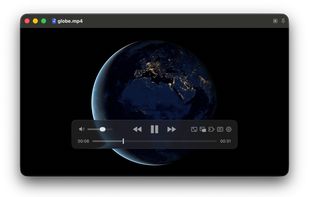
Modern macOS media player with retina-optimized video playback, supports numerous audio and video formats via mpv core, features an interactive UI, gesture and Touch Bar controls, Picture-in-Picture, and comprehensive customization through open source scripting and settings.

Cost / License
- Free
- Open Source (GPL-3.0)
Application typeApplication types
Platforms
- Mac
- mpv


Features
IINA News & Activities
Highlights All activities
Recent News
- Paul published news article about IINA

Recent activities


Featured in Lists


The macOS setup for everyone (with freeware only)
THIS LIST HAS BEEN DELETED DUE TO A BUG, SO IT MISSES SOME HONORABLE MENTIONS !
This is the apps for macOS that I would recommend to anyone who just got a Mac !
Some are the default that Apple offers but I tried to offers you free alternative to escape Apple Wall Garden if you need or want to
The same list for
Windows 10 & Windows 11 :
Linux kernel (GUI apps only) :


The Best Mac Apps
A list with 49 apps by hercut without a description.



My Top 100 Software
A list with 71 apps by LLiN without a description.
What is IINA?
IINA information
Developed by
Collider LILicensing
Open Source (GPL-3.0) and Free product.Written in
Rating
Average rating of 4.9Alternatives
62 alternatives listedBadge
Get an embeddable badge for IINASupported Languages

AlternativeTo Categories
Video & Movies, Audio & MusicGitHub repository
- 46,626 Stars
- 2,934 Forks
- 1938 Open Issues
- Updated


Comments and Reviews
IINA is like VLC’s feature set meets QuickTime’s simplicity and OS integration. It’s the best generic video player for macOS by a BIG margin.
Way better than VLC if you're on macOS. Looks good, works great, and doesn't feel as bloated as VLC
I like IINA because it is easy to use and it is free and open-source
The UI is so minimalistic and has beautiful UI with a lot of hidden power, since being based on MPV.
I also like the fact that there is a browser extension for Chrome and Firefox to allow you to launch media into the app.
IINA is an absolute wonder to use. My choice of media player over VLC.
Great features and just works.
This is THE Mac media player.
Everyone talks about the look. If you try it, you’ll talk about the ease of use.
I’ll focus on something else. The program is entirely modifiable! Hanging in skipping forests or back? Or bad internet? Gigantic file? Increase the buffer size. Don’t like the subtitles? Change them. Filters for black and white? Yep! Forced aspect ratio? Yep. Fine tune playback speed? Yep.
The one big thing this has, where VLC can fail, is pre buffering a file. That is, scanning the file and placing it in ram, rather than playing it from disk. This is extra useful for fixed files like WMV, Chunked files like transport streams Gigantic files like 8K video at 50mbps or higher.
If VLC has ever paused, frozen, or choked on a file, and you have MacOS: try this.