Home Photo Studio Alternatives

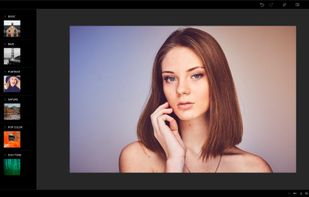
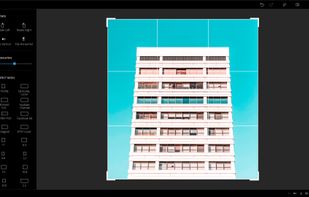
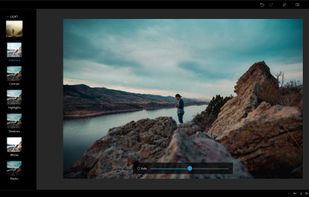
Home Photo Studio is described as 'Is powerful and easy-to-use photo editing software offering a complete set of image manipulation tools. Thanks to a convenient interface and a detailed help system, the software is simple to learn but provides enough options to keep any photo enthusiast' and is a Image Editor in the photos & graphics category. There are more than 100 alternatives to Home Photo Studio for a variety of platforms, including Windows, Mac, Android, iPhone and Web-based apps. The best Home Photo Studio alternative is GIMP, which is both free and Open Source. Other great apps like Home Photo Studio are Krita, Adobe Photoshop, Paint.NET and MyPaint.

Copy a direct link to this comment to your clipboard
Home Photo Studio alternatives page was last updated

Alternatives list

  1. PhotoFiltre icon
     109 likes

    PhotoFiltre 7 is a complete image retouching program. It allows you to do simple or advanced adjustments to an image and apply a vast range of filters on it. It is simple and intuitive to use, and has an easy learning curve.

    124 PhotoFiltre alternatives

    Cost / License

    • Freemium
    • Proprietary

    Application type

    Platforms

    • Windows
    • PortableApps.com
     
  2. Fotor icon
     62 likes

    Comprehensive online editor offering filters, frames, text, stickers, collage creation, graphic design, templates for social media, batch editing, photo retouching, mobile and desktop access, regular updates, and direct sharing to social channels.

    192 Fotor alternatives

    Cost / License

    • Freemium
    • Proprietary

    Application types

    Platforms

    • Mac
    • Windows
    • Online
    • Android
    • iPhone
     
  3. Corel's tool provides comprehensive photo editing and design features including enhanced layers, precise tools, RAW editing, and organization capabilities such as keyword tags, auto sorting, and facial recognition, making it ideal for both novices and professionals in various projects.

    159 Corel PaintShop Pro alternatives

    Cost / License

    • Paid
    • Proprietary

    Platforms

    • Windows
     
  4. Adobe Elements icon
     84 likes

    Comprehensive photo editing tool with AI-powered automation and easy step-by-step guidance. It includes unique creation tools, layer support, facial recognition, and organizes your photos seamlessly. Available as a one-time purchase, no subscription required, with cloud sync for flexibility.

    150 Adobe Elements alternatives

    Cost / License

    • Paid
    • Proprietary

    Application types

    Platforms

    • Mac
    • Windows
    • Online
    • Android
    • iPhone
     
  5. Pixelitor icon
     27 likes

    Open source image editor with non-destructive editing, 110+ filters, adjustment and text layers, support for smart objects and adjustment layers, cross-platform compatibility, and layer-based editing for flexible image composition.

    114 Pixelitor alternatives

    Cost / License

    Platforms

    • Mac
    • Windows
    • Linux
     
  6. PicsArt  icon
     88 likes

    Offers photo filters, magic effects, drawing tools, stickers, and customizable text. Includes collage layouts, color adjustments, and cropping. Features a built-in camera, live effects, drawing layers, and direct sharing to a global community and external networks. Multi-language support.

    146 PicsArt alternatives

    Cost / License

    • Freemium
    • Proprietary

    Application types

    Platforms

    • Windows
    • Android
    • iPhone
    • Android Tablet
    • iPad
    • Kindle Fire
     
  7. Photo Editor icon
     13 likes

    Edit photos using exposure, brightness, color tuning, curves, batch processing, special effects, cropping, overlays, and metadata tools. Supports touch interface, multiple save formats, sharing to social media, comparison tools, and captures from web or video.

    108 Photo Editor alternatives

    Cost / License

    • Freemium
    • Proprietary

    Application types

    Platforms

    • Android
    • Android Tablet
     
  8. Pixen icon
     18 likes

    Pixen is a pixel art editor designed for working with low-resolution raster art, such as those 8-bit sprites found in old-school video games. With innovative features like a color palette system, patterns, and high-zoom support, Pixen packs all the tools pixel artists need in an...

    Cost / License

    • Free
    • Proprietary

    Platforms

    • Mac
    • iPad
     
  9. PicMonkey icon
     50 likes

    PicMonkey is a feature-rich online photo editor that works right in your browser; no downloads necessary. Touch-up tools like Teeth Whiten, Blemish Fix, Weight Loss. Effects like Orton, Cross Process, Color Boost, with drag and drop ease.

    Cost / License

    • Paid
    • Proprietary

    Application types

    Platforms

    • Online
    • Android
    • iPhone
     
  10. Sumo Paint icon
     74 likes

    Sumo Paint is a powerful image editor with a long-standing history as a fully capable Photoshop clone in the browser. Being designed for the browser, it's accessible on practically any system and loads much faster than most comparable desktop tools while still providing core...

    Cost / License

    • Freemium
    • Proprietary

    Platforms

    • Online
     
  11. Acorn icon
     75 likes

    Image editor for macOS offering AI-powered background removal, live text detection, non-destructive filters, unlimited layers, vector shapes, collage creation, extensive file support including PSD and RAW formats, and tools for both designers and hobbyists.

    Cost / License

    • Paid
    • Proprietary

    Application types

    Platforms

    • Mac
     
  12. Photoline icon
     61 likes

    Photoline is a professional image editor which offers creatives a mostly non-destructive workflow for 8/16/32bpc image processing and compositing in RGB, CMYK, and Lab modes.

    Full vector editing, DTP features, and a HSV/HIS workflow are supported.

    Cost / License

    • Paid
    • Proprietary

    Application types

    Platforms

    • Mac
    • Windows
    • Wine
     
You are at page 2 of Home Photo Studio alternatives