Google Calendar Alternatives for iPhone

There are many alternatives to Google Calendar for iPhone if you are looking for a replacement. The best iPhone alternative is Proton Calendar, which is free. If that doesn't suit you, our users have ranked more than 100 alternatives to Google Calendar and loads of them are available for iPhone so hopefully you can find a suitable replacement. Other interesting iPhone alternatives to Google Calendar are Tuta Calendar, Fantastical, Apple Calendar and Morgen.

filter to find the best alternatives

Google Calendar alternatives are mainly Calendar Apps, but if you're looking for Todo List Managers or Task Management Tools you can filter on that. Other popular filters include Open Source, Android + Open Source, Self-Hosted, EU, Android, iPhone and Free. You can also filter by region, for example EU-based alternatives if you prefer software developed in the European Union. These are just examples - use the filter bar below to find more specific alternatives to Google Calendar.
Copy a direct link to this comment to your clipboard
Get a badge for your siteGoogle Calendar alternatives page was last updated

Alternatives list

  1. Proton Calendar icon
     119 likes

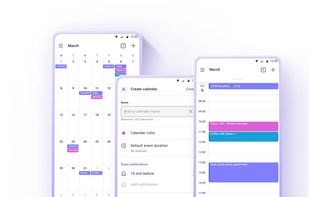
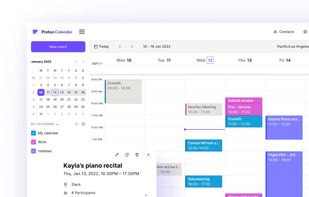
    Your calendar is a record of your life. Proton Calendar helps keep it private.

    53 Proton Calendar alternatives

    Cost / License

    Application type

    Platforms

    • Online
    • Android
    • iPhone
    • Android Tablet
    • iPad
    • Tor
    • Android Auto
     
    |
    4
    Proton Calendar vs Google Calendar Comments
    Klaes Ethan
    Positive
    1

    Looks very nice and clean, works well, has loads of features and is mostly free. My one complaint (and the reason I will be using calendar.online instead) is that there is no horizontal version for android tablets. I don't want to use my android tablet vertically.

    Deividas Losikov
    Positive
    2

    ProtonCalendar may not be as feature-rich as Google Calendar, but their main focus is protecting user data with end-to-end encryption. The free plan is enough for basic calendar functionality, but paid subscriptions give extra benefits for supporting their business model, as that's their only source of income.

    newbread
    2

    ProtonCalendar is still missing the search feature.

    3 of 4 comments
    • Proton Calendar is Freemium and ProprietaryGoogle Calendar is Free Personal and Proprietary
    • Proton Calendar is Privacy focusedGoogle Calendar is not according to our users
  2. Tuta Calendar icon
     48 likes

    Tuta Calendar offers secure event organization with end-to-end encryption and no ads or tracking. Enjoy multi-device sync, multiple calendar views, and offline access. Fully compliant with strict German data protection laws. Manage recurring events, unlimited calendars, and seamlessly integrate with Tuta Mail.

    48 Tuta Calendar alternatives

    Cost / License

    Application type

    Platforms

    • Online
    • Android
    • iPhone
    • Android Tablet
    • iPad
    • F-Droid
    • Thunderbird
    • OpenAPK
     
    |
    1
    Tuta Calendar vs Google Calendar Comments
    JOPloume
    Positive
    0

    End-to-end encryption and works across all platforms: for me, on Android, Mac, and Windows (and even via Browser)!

    • Tuta Calendar is Freemium and Open SourceGoogle Calendar is Free Personal and Proprietary
    • Tuta Calendar is Privacy focused, Lightweight and CustomizableGoogle Calendar is not according to our users
  3. Fantastical icon
     79 likes

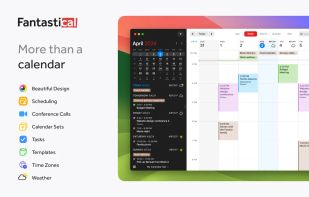
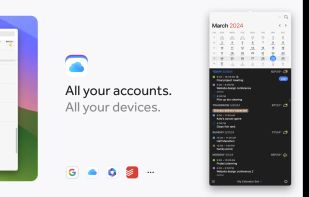
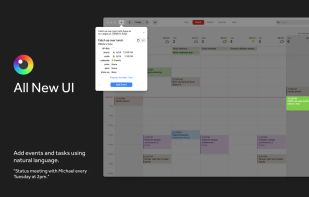
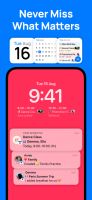
    Simplify scheduling with natural language input, major platform sync, vibrant color-coded views, personalized writing style recognition, task and conference call integration, and customizable widgets for comprehensive calendar management.

    89 Fantastical alternatives

    Cost / License

    • Freemium
    • Proprietary

    Application type

    Platforms

    • Mac
    • Windows
    • iPhone
    • iPad
    • Apple Watch
    • visionOS
     
    |
    1
    Fantastical vs Google Calendar Comments
    Guest
    Negative
    0

    It's not a calendar service - you need to bring your own calendar

    • Fantastical is Freemium and ProprietaryGoogle Calendar is Free Personal and Proprietary
    • Fantastical is Privacy focusedGoogle Calendar is not according to our users
  4. Apple Calendar icon
     147 likes

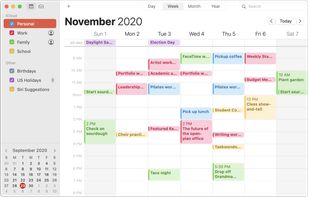
    Keep track of your busy schedule and share it with others using Calendar. Create separate calendars — one for home, another for school, a third for work, and so on. See all your calendars in a single window or choose to see only the calendars you want.

    129 Apple Calendar alternatives

    Cost / License

    • Free
    • Proprietary

    Application type

    Platforms

    • Mac
    • iPhone
    • iPad
    • iCloud
     
  5. Morgen icon
     32 likes

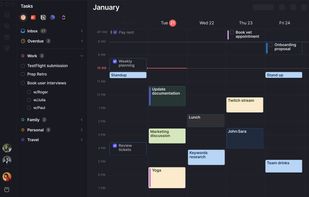
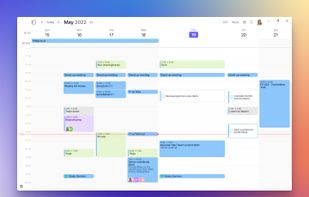
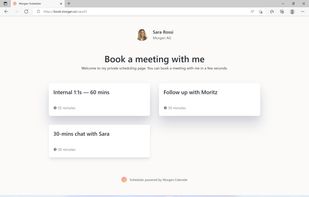
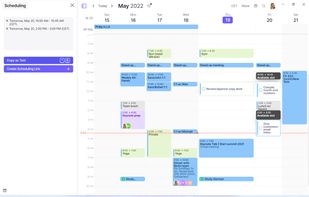
    Brings together calendars, to-dos, productivity apps, and schedulers in one platform. Integrates with major services like Google Calendar, iCloud, Todoist, and video conferencing tools such as Zoom. Offers native scheduling similar to Calendly, enhancing time management efficiency.

    124 Morgen alternatives

    Cost / License

    • Paid
    • Proprietary

    Application types

    Platforms

    • Mac
    • Windows
    • Linux
    • Android
    • iPhone
     
  6. AnyTask icon
     7 likes

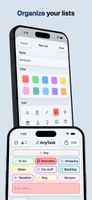
    Create and sort tasks using colors, icons, subtasks, and photos. Set reminders, use recurring schedules, and sync with iCloud across iPhone, iPad, and Mac. Share any list in real time via iCloud, collaborate without accounts, and access Calendar view or widgets.

    Cost / License

    • Freemium
    • Proprietary

    Platforms

    • iPhone
    • iPad
     
  7. Notion Calendar icon
     18 likes

    Experience a fully integrated calendar with Notion, syncing events from Google Calendar, offering built-in scheduling, time zone support, and the ability to connect multiple accounts. Manage all events, personal and work, with a modern design, light and dark modes, and Lock Screen support for iOS 17.

    134 Notion Calendar alternatives

    Cost / License

    • Freemium
    • Proprietary

    Platforms

    • Mac
    • Windows
    • Online
    • Android
    • iPhone
     
    |
    1
    Notion Calendar vs Google Calendar Comments
    Guest
    Negative
    0

    Notion is too complicated and requires a great deal of user input in general to become functional. Most templates are locked behind a paywall and Notion requires you to trust a third party with your data rather than being able to host a local file and sync. This is not a viable alternative and should not be at the top of the list by any stretch of the imagination. I'm honestly unclear why it's even listed.

    • Notion Calendar is Freemium and ProprietaryGoogle Calendar is Free Personal and Proprietary
  8. Calendly icon
     31 likes

    Calendly can connect with up to six of your calendars to automatically check availability and help you connect with your best contacts, prospects and clients.

    168 Calendly alternatives

    Cost / License

    • Freemium
    • Proprietary

    Application type

    Platforms

    • Online
    • Android
    • iPhone
    • Android Tablet
    • iPad
    • Firefox
    • Google Chrome
    • Microsoft Edge
     
    |
    1
    Calendly vs Google Calendar Comments
    altts1zed
    Negative
    1

    Appointment scheduler, useful addition to a calendar but not itself a calendar

    • Calendly is Freemium and ProprietaryGoogle Calendar is Free Personal and Proprietary
    • Calendly is an Appointment Scheduler Google Calendar is a Calendar App
  9. OurCal icon
     5 likes

    This app is tailored for families, couples, friends, and groups, providing end-to-end encryption for secure data, seamless calendar creation, syncing, private chats, and widgets for easy access, ensuring you never miss an event.

    Cost / License

    • Freemium
    • Proprietary

    Application type

    Platforms

    • Android
    • iPhone
     
  10. fruux icon
     37 likes

    fruux is a free service that takes care of your contacts, calendars and more so you don't have to. Never manually copy contacts and calenders between your devices again!

    Cost / License

    • Freemium
    • Open Source

    Application type

    Platforms

    • Mac
    • Windows
    • Linux
    • Online
    • Android
    • iPhone
    • Blackberry
    • Windows Phone
    • iPad
    • Blackberry 10
    • Sailfish OS
    • Software as a Service (SaaS)
     
  11. BusyCal icon
     21 likes

    BusyCal is the most powerful, flexible, heavily customizable, reliable calendar app for macOS. It's packed with time-saving features and compatible with all leading cloud services including Reminders, iCloud, Google, Exchange, Office 365, Yahoo, Fastmail, Fruux, Kerio, Zoom...

    71 BusyCal alternatives

    Cost / License

    • Paid
    • Proprietary

    Application types

    Platforms

    • Mac
    • iPhone
    • iPad
    • Apple Watch
    • MacPaw Setapp
     
12 of 76 Google Calendar alternatives