GitHydra is a free and open-source (GPL-3.0-or-later) visual Git client for Windows, macOS, and Linux — a GitKraken-style GUI where nothing is behind a paywall or an account.
It works with any Git host — GitHub, GitLab, Bitbucket, self-hosted, or no remote at all — by driving the Git binary already installed on your machine. There's no proprietary backend and no sign-in, not even to open a local repository. Private remotes work exactly like public ones, because authentication is handled by your own credential helper and SSH agent; GitHydra never stores, prompts for, or manages a credential.
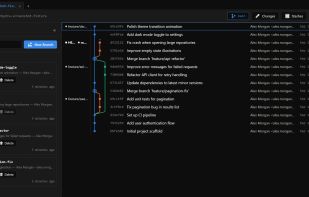
Every feature ships in the free build. A live commit graph renders branch topology and merges as you work. Staging comes with full file-level diffs. You get branch creation, switching and deletion; a complete conflict-resolution UI for merges and rebases; stash; cherry-pick built on Git's own sequencer; and blame with file history to trace how a file evolved. Online sync covers fetch, pull, push, and clone, alongside identity profiles that let you commit as the right person per repository — the sort of thing competitors reserve for paid tiers. Reset-to-here moves a branch to any earlier commit, with an impact preview and reflog-based undo.
Some things are left out on purpose. Force-push and remote-branch deletion aren't missing features — they're deliberate omissions, because a GUI that makes irreversible remote operations one click away is a GUI that will eventually cost someone their work.
And there's no telemetry. Not disabled by default — absent. There is no analytics code in the product.







 perry42


No comments or reviews, maybe you want to be first?