


GitHub Copilot
39 likes
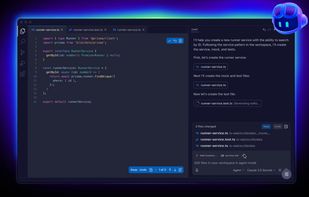
GitHub Copilot leverages the power of OpenAI Codex to provide real-time suggestions for code and complete functions, all within your editor. With its training on vast amounts of code, GitHub Copilot translates natural language prompts into coding suggestions across multiple...

Cost / License
- Freemium (Subscription)
- Proprietary
Application type
Platforms
- Mac
- Windows
- Linux
- Visual Studio Code
- Neovim
- Microsoft Visual Studio


Features
Highlights All activities
GitHub Copilot News & Activities
Recent News
- Fla published news article about Google Gemini
- Fla published news article about Kimi Code
- Mauricio B. Holguin published news article about GitHub Copilot


Recent activities
 tamedeveloper added GitHub Copilot as alternative to Diffsift
 Zlata-Artiukhova added GitHub Copilot as alternative to YATFA
 jaah added GitHub Copilot as alternative to Jaah
 alexwkleung added GitHub Copilot as alternative to Reika
 Grego-Avaux added GitHub Copilot as alternative to Memdoor
 Croco Loki added GitHub Copilot as alternative to Claw Code
 astracode added GitHub Copilot as alternative to AstraCode
 Andrew Sweaney added GitHub Copilot as alternative to Codayak
 ZYRAXON AI added GitHub Copilot as alternative to ZYRAXON AI
 IdeaAI added GitHub Copilot as alternative to IdeaAI




The AI advantage tools_all
A list of AI tools that I've been collecting since mid-February 2023 that I actually use. For more information you can continue reading this first or skip to read the list first and then come back (recommended). If you enjoy this list please give it a heart 💗, thanks!
This list is made to give you a comprehensive list to give you a competitive advantage with AI. It's been selected from more than 130 tools, including Github repos, news from Twitter (it's been so much), using platforms recommendations especially made for AI tools (There's an AI for that, etc) and Youtube videos from AI youtubers that I trust and some blogs from AI developers and researchers and people who I think know their stuff.
In this intro it's a bit of a review and the general list is more or less a ranking, however beware of classification grouping ie beta.character AI is way better with direct interaction with the user and storytelling: better than ChatGPT and Bing (Bing is creative and useful for this, but the 20 messages limit per chat makes it no good for storytelling or general creative long tasks). but in the Altertive Tool list is placed lower because it's not general purpose or doesn't have much range yet. Or take Midjourney which is the best tool ever for image generation but is much later in the list because it's especialized.
I will be updating this list when I see more capabilities and maturing between the tools; ie Google Bard is not here because it's still underdeveloped for common daily use, or video AI tooling since it's a bit hacky yet, still to be decided a clear winner between the AI community and those kind of reasons.
Apart from general purpose this list is also directed to software developers.
Problem solving and general purpose (google replacement, the most mature chats yet):
ChatGPT used instead of googling and general debugging and for my college classes and some errors when developing software, software documentation and code syntax.
Perplexity used to search for information that requires finding specific links since ChatGPT allucinates links, quite handy extension since you can click in any website sits on the chrome toolbar (pinning it is very recommended), it saves your chats and you can continue where you left off, doesn't have a message limit per chat (I had an specific chat that has more than 110 messages without counting Perplexity answers), has login account, good and pretty UI. It also has an specific button to quickly summarize the website you're in. ask your questions page scope wide, website scop wide and in all the internet (default).
Bing AI chat: Quite good, why 3rd place then? it's just that i'm used to chrome lol (i have so many extensions to export and other unrelated reasons), and now Bing chat has from May 4, 2023 and forwards chat history! (main reason I didn't use it often), so I'm very willing on using Bing AI again. pretty and good UI. the sources and where everything comes from has a positive edge over ChatGPT, while browsing you can ask info about the website you're in. handy toggleable sidebar for Bing AI in Microsoft Edge Dev
You.com chat: I use this especifically to search book recommendations, know where to get technical documentation and general media recommendations since ChatGPT will give you more generic recommendations and it's not that much technical unless you discuss with it (it feels so bad call ChatGPT "it" X'D) more or less extensively (so you have to have a required higher knowledge to know). The advantage that You.com AI chat has it's that can read index context for example you're searching for a book or documentation, however the thing you're searching for doesn't appear on the title it instead would be the chapter of a book You.com chat will give you the result you want, Perplexity will tell you that such book doesn't exist and ChatGPT is possible set to allucination or give you something less precise. With YouChat it's much less effort and words to get the book rec you want, ChatGPT it's also more prone to allucinate title books with the requirements you give it or to allucinate Github repositories for that matter -_- . I don't use YouChat as much as I like though (i don't want to use that many different chats y'know) and I think ChatGPT or the above options are still better (ie usually Perplexity or Bing AI will give you more sources of information and still give you a cohesive and comprehensive answer, you.com chat will give you one source only if you give it an apparently simple ask), it's been some time since I've use it. Still put it here since I think it's a mature option compared to the rest and some might be interested in it. the UI is good but I think it could be better.
Between these 4 I would say you have two main routes: combine ChatGPT with Perplexity (because of link allucination) OR choose Bing AI since Bing gives accurate links and has a pretty good creative problem solving. try what works best for you, also I can't wait for Bing to augment more than 20 messages >:D
Coding (haven't used these 2 options as much since I usually still ask ChatGPT for code related asks / prompts):
Github Copilot ($10 per calendar month)
Amazon CodeWhisperer (it's free but needs your credit card to corroborate you're a real person)
AI tool recommendation platforms:
There's An AI For That: Most extensive one AI tool recommendation platform that I've found yet, and always early to list the new AI tools, think UI could be better. but almost every tool is there (most of exceptions are some Github repositories with less than 1000 stars specifically for software developers so... ).
AiToolHunt: also has tons of tools, nice tagging and very pretty UI
Other notable AI tools:
Midjourney: best AI image generation yet.
Wiseone: Handy extension it highlights not common terms on the dictionary like technical terms, names of companies, etc. You use it by hovering over the highlighted words, if it's an event or news it gives you the last ones and more relevants. Useful for not manully searching specific words and have a more linear reading experience instead of multiple tabs on the web.



phant's software list
my software list, mostly open-source.I have used the vast majority of the software listed there myself for a long time.
This software list open-source/free/freemium apps for Windows 10/11 that I would recommend.This also includes tools for CS/EE background developer.
This list is designed to highlight excellent software in a particular area, so you don’t need to install all the software on the list. You should only consider installing the software I’ve selected when you have a need that falls under a specific section of the list.
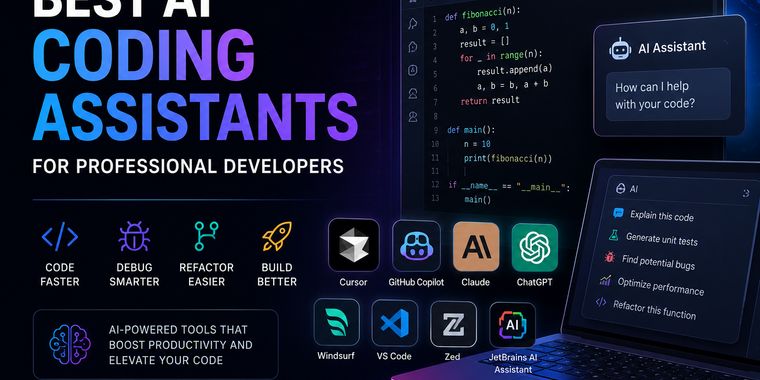


Best AI Coding Assistants for Professional Developers (2026)
A curated list of AI coding assistants that improve software development, debugging, refactoring, and productivity. These are the tools I consider the most useful for professional development.
Developed by
 Github Inc.
 Licensing
Proprietary and Freemium product.Pricing
Subscription ranging between $10 and $39 per month + free version with limited functionality.Rating
Average rating of 5Alternatives
165 alternatives listedNews
46 news article related to GitHub CopilotBadge
Get an embeddable badge for GitHub CopilotSupported Languages


Comments and Reviews
Right now, it is the best AI pair programming tool with agentic capabilities. It comes with a pricing model featuring different integrated API AI models for coding. It also allows you to add local LLMs or third-party APIs.
Microsoft is currently developing the VSCode extension on GitHub in an open way at https://github.com/microsoft/vscode-copilot-chat.
It is compatible with multiple IDEs and code editors, including VSCode, Neovim, Zed, Xcode and JetBrains. It is also available on the GitHub platform, although not as an extension per se.
Productivity goes up, especially with the chat feature.
It's the most intelligent of them all, currently. It isn't infallible but it can comfortably operate at a level that is above the competition. The competition's models are dumber, make dumb random mistakes where Copilot does not. The competition scores with new innovative features (AI search on your indexed code base) but it's only a matter of time before Copilot gains those too.