


Claude Code
75 likes
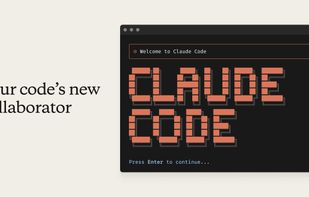
Terminal AI assistant features deep codebase awareness, rapid code searches, multi-file edits, and advanced code understanding with explicit approval for changes, integration with VS Code and JetBrains, leverages build tools and test suites, and is highly configurable.

Cost / License
- Pay once or Subscription
- Proprietary
Application type
Platforms
- Mac
- Windows
- Linux
- Visual Studio Code
- Homebrew
- npm
- JetBrains IDE
- Online


Features

Claude Code News & Activities
Highlights All activities
Recent News
- Fla published news article about Claude Code
- Fla published news article about Claude Code
- Fla published news article about ChatGPT


Recent activities
 RobyPomper added Claude Code as alternative to WingFoil
- GK M liked Claude Code
 Emanuel-Mazilu added Claude Code as alternative to oxi
- sstudio liked Claude Code
 alexwkleung added Claude Code as alternative to Reika
 Grego-Avaux added Claude Code as alternative to Memdoor
- Anton Shvein liked Claude Code
 Luka-N-Arnold added Claude Code as alternative to Soft-Machine
 Croco Loki added Claude Code as alternative to Claw Code


Featured in Lists


AI Code Generation Tools (2026)
Curated list of tools that write code for you — agentic IDEs, completion engines, and coding agents currently in active use in 2026. Pair with the companion list (AI Code Review & Governance Tools) which covers the other half of the loop: what governs and verifies what these tools produce.


DRT Stack
A list with 30 apps by kulatynesmysl without a description.


Coding Favorites
A list with 10 apps by kestermckinney without a description.
What is Claude Code?
Claude Code information
Developed by
 Anthropic PBC
 Licensing
Proprietary and Commercial product.Pricing
One time purchase ranging between $1 and $1000, and / or subscription ranging between $100 and $200 per month.Rating
Average rating of 4.7Alternatives
162 alternatives listedNews
47 news article related to Claude CodeBadge
Get an embeddable badge for Claude CodeSupported Languages


Comments and Reviews
By far the best CLI frontier model, hope they continue stacking up the wins
I use Claude code everyday. This is my best co-worker in my life.
Great for developing/exploring ideas (alongside of or separate from Claude). Amazing feature set.
Claude Code in the terminal is exceptional. Its understanding of an existing codebase and its ability to coordinate changes across multiple files make it feel like a genuine development partner.
We been using it now for almost 30 projects and over a year and it is worth it when you know what you program with. Especially the addon into vscode helps a lot but you also need to check it's work.
Changed my life. Amazing.
I love this widget in visual studio code. It allows low coders to do code. It is a social elevator to non software engineers.