
• Kimi icon
  • The Hugging Bay icon
  • DeepSeek icon
  • ChatGPT icon
  • Claude icon
  • +2

Best AI Coding Assistants for Professional Developers (2026)

Viktor KorobovViktor Korobov7 appsUpdated
Copy a direct link to this comment to your clipboard

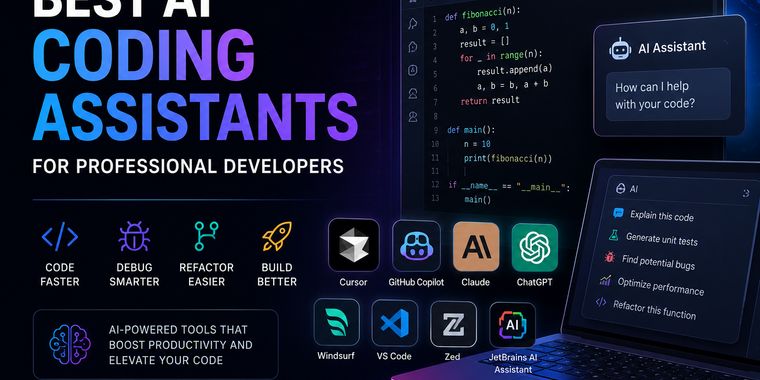
A curated list of AI coding assistants that improve software development, debugging, refactoring, and productivity. These are the tools I consider the most useful for professional development.

  1. Kimi icon
     Like

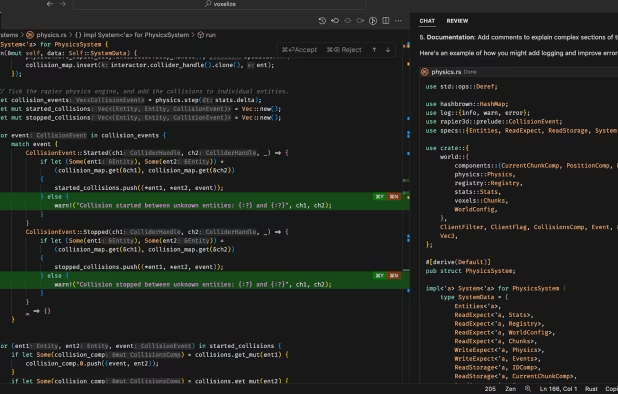
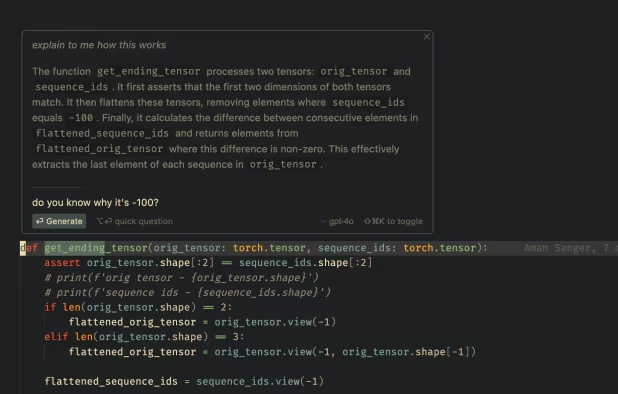
    AI tool for reasoning across math, coding, and image analysis, processing up to 128k tokens, handling visual data, benchmarks, and chain-of-thought tasks.

    Cost / License

    • Freemium
    • Proprietary

    Application type

    Platforms

    • Online
    • Android
    • iPhone
    • Android Tablet
    • iPad
    • Windows
    • Mac
    Kimi screenshot 1
    Kimi screenshot 1
    Kimi screenshot 2
    +8
    Kimi screenshot 3
    Viktor KorobovViktor Korobov’s note

    I've been using ChatGPT, Claude, Gemini, and recently Kimi. Each has its strengths, but Kimi's ability to work with long context is particularly impressive. It's definitely a tool I'd recommend trying if you often deal with large documents or complex coding tasks.

  2. Verified open-source AI artifact registry with license checks, source provenance, community trust signals, torrents, hosted mirrors, semantic search, and curated categories.

    Cost / License

    • Free
    • Proprietary

    Platforms

    • Mac
    • Windows
    • Linux
    • Online
    The Hugging Bay screenshot 1
    The Hugging Bay screenshot 1
  3. DeepSeek icon
     Like

    DeepSeek is a state-of-the-art AI assistant designed to provide intelligent, conversational support across diverse tasks. It leverages advanced natural language processing and machine learning to answer questions, generate creative content, solve complex problems, and offer...

    Cost / License

    • Freemium
    • Open Source

    Application type

    Platforms

    • Online
    • Android
    • iPhone
    • Android Tablet
    • iPad
    DeepSeek screenshot 1
    DeepSeek screenshot 1
    DeepSeek screenshot 2
    +1
    DeepSeek screenshot 3
    Viktor KorobovViktor Korobov’s note

    DeepSeek surprised me with how much it offers for free. It's particularly strong at coding and technical questions, making it an excellent alternative if you want a capable AI assistant without paying for a subscription.

  4. ChatGPT icon
     Like

    ChatGPT is a generative artificial intelligence chatbot created by OpenAI and launched in November 2022. It is built on large language models (LLMs), enabling it to understand and generate human-like text, images, and even speech.

    Cost / License

    • Freemium
    • Proprietary

    Application type

    Platforms

    • Mac
    • Windows
    • Linux
    • Online
    • Android
    • iPhone
    • Android Tablet
    • iPad
    • Google Chrome
    ChatGPT screenshot 1
    ChatGPT screenshot 1
    ChatGPT screenshot 2
    +1
    ChatGPT screenshot 3
    Viktor KorobovViktor Korobov’s note

    ChatGPT is still the AI assistant I come back to most often. Whether it's brainstorming ideas, learning something new, or solving technical problems, it's incredibly versatile and keeps getting better with every update.

  5. Claude icon
     Like

    AI assistant for chat and API, performing summarization, search, writing, Q&A, and coding with high reliability, customizability, privacy, and reduced risks.

    Cost / License

    • Freemium
    • Proprietary

    Application type

    Platforms

    • Mac
    • Windows
    • Linux
    • Online
    • Android
    • iPhone
    • iPad
    • Software as a Service (SaaS)
    • Google Sheets
    • Google Docs
    • Google Slides
    • Google Workspace
    • Android Tablet
    Claude screenshot 1
    Claude screenshot 1
    Claude screenshot 2
    +1
    Claude screenshot 3
    Viktor KorobovViktor Korobov’s note

    Claude has become my go-to AI whenever I need to work through something complex. It feels thoughtful, pays attention to details, and is especially good at writing, analyzing long documents, and planning projects.

  6. GitHub Copilot leverages the power of OpenAI Codex to provide real-time suggestions for code and complete functions, all within your editor. With its training on vast amounts of code, GitHub Copilot translates natural language prompts into coding suggestions across multiple...

    Cost / License

    • Freemium
    • Proprietary

    Application type

    Platforms

    • Mac
    • Windows
    • Linux
    • Visual Studio Code
    • Neovim
    • Microsoft Visual Studio
    GitHub Copilot screenshot 1
    GitHub Copilot screenshot 1
    GitHub Copilot screenshot 2
    +5
    GitHub Copilot screenshot 3
    Viktor KorobovViktor Korobov’s note

    GitHub Copilot doesn't replace a developer, but it removes a lot of repetitive work. I find it most useful for generating boilerplate code, suggesting functions, and keeping me focused while coding.

  7. Cursor icon
     Like

    The AI-first Code Editor. Build software faster in an editor designed for pair-programming with AI.

    Cost / License

    • Freemium
    • Proprietary

    Application type

    Platforms

    • Mac
    • Windows
    • Linux
    • iPhone
    • iPad
    Cursor screenshot 1
    Cursor screenshot 1
    Cursor screenshot 2
    Viktor KorobovViktor Korobov’s note

    Cursor is probably the biggest productivity boost I've had as a developer in years. Having an AI that understands the entire codebase instead of just the current file makes a huge difference. It feels less like an autocomplete tool and more like working with a knowledgeable teammate.

A curated collection of the best AI coding assistants for professional software development, code generation, debugging, and productivity.

No comments so far, maybe you want to be first?