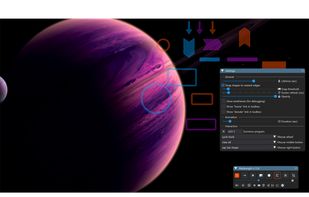

FlowInk Alternatives

FlowInk is described as 'Lightweight, free screen annotation (overlay drawing) tool designed specifically for Windows. It lets you draw, write, or scribble directly on top of any open application, desktop, or screen in real time' and is an app in the photos & graphics category. There are more than 25 alternatives to FlowInk for a variety of platforms, including Mac, Windows, Linux, Python and PortableApps.com apps. The best FlowInk alternative is CapyCursor, which is free. Other great apps like FlowInk are Epic Pen, ZoomIt, gInk and Screen Marker and Recorder.

Copy a direct link to this comment to your clipboard
FlowInk alternatives page was last updated

Alternatives list

  1. Gromit-MPX icon
     12 likes

    Gromit-MPX is an on-screen annotation tool that works with any Unix desktop environment under X11 as well as Wayland.

    18 Gromit-MPX alternatives

    Cost / License

    • Free
    • Open Source

    Platforms

    • Linux
    • Ubuntu
     
  2. Mouseposé icon
     5 likes

    Mouseposé is the indispensible mouse pointer highlighting tool (aka "virtual laserpointer") for everyone doing demos at tradeshows, presentations and trainings, or those individuals with huge and high resolution displays.

    30 Mouseposé alternatives

    Cost / License

    • Paid
    • Proprietary

    Platforms

    • Mac
     
  3. Ardesia icon
     6 likes

    Ardesia is an usefull software for use your desktop as a Sketchpad. You can write, markup and erase, also, of course, you can use your desktop as normal desktop.

    Cost / License

    • Free
    • Open Source

    Application type

    Alerts

    • Discontinued

    Platforms

    • Windows
    • Linux
     
  4.  4 likes

    Pylote is a software making it possible to draw on the screen of the computer, like handling various instruments of geometry.

    Cost / License

    • Free
    • Proprietary

    Platforms

    • Mac
    • Windows
    • Linux
    • Python
     
  5. Ultimate Pen icon
     2 likes

    Ultimate Pen is a software only solution which creates a full screen, transparent window, allowing you to draw on top of most applications. Think of Ultimate Pen as an incredibly easy way to doodle on your computer screen.

    Cost / License

    • Paid
    • Proprietary

    Application type

    Platforms

    • Mac
     
  6. It is a an application which helps the user to annotate anywhere on the mac's screen. It can be used while presentation, video tutorials, screen recordings to draw the audience attention.

    Cost / License

    • Free
    • Proprietary

    Platforms

    • Mac
     
  7. OmniDazzle icon
     2 likes

    OmniDazzle is a set of fun and useful enhancements that help you highlight certain areas of your screen, create special effects, and track the location of your mouse pointer. Each plug-in can be configured to suit your own particular preferences: change colors, make objects...

    Cost / License

    • Free Personal
    • Proprietary

    Alerts

    • Discontinued

    Platforms

    • Mac
     
  8. ScreenPen icon
     2 likes

    Screen annotation software which allows drawing directly on the screen. It is an open source and multiplatform (all systems that support Python) alternative to tools such as Epic Pen.

    Cost / License

    Platforms

    • Mac
    • Windows
    • Linux
     
  9. ZoomShot icon
     Like

    A live screen effect layer for macOS that adds real-time zoom, cursor spotlight/highlight, and freehand drawing directly on your screen.

    Cost / License

    • Freemium
    • Proprietary

    Platforms

    • Mac
     
  10. Desktop Board allows you to draw on your desktop. Just click Turn On and you are ready to draw. Its the perfect app to do sketches or you can leave your kids to have some fun drawing.

    Cost / License

    • Paid
    • Proprietary

    Platforms

    • Mac
     
You are at page 2 of FlowInk alternatives