dpScreenOCR Alternatives

dpScreenOCR is described as 'A program to recognize text on the screen' and is a screenshot capture tool in the office & productivity category. There are more than 50 alternatives to dpScreenOCR for a variety of platforms, including Windows, Mac, Android, iPhone and iPad apps. The best dpScreenOCR alternative is Greenshot, which is both free and Open Source. Other great apps like dpScreenOCR are OSS Document Scanner, MakeACopy, Snagit and NormCap.

Copy a direct link to this comment to your clipboard
dpScreenOCR alternatives page was last updated

Alternatives list

  1. PDF Doc Scan icon
     3 likes

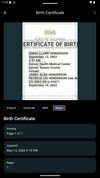
    Main point of this app is to scan or select existing PDF documents simply using intent or chooser. Other apps require payment to access their api/sdk or simply don't have a possible way to do it. So they rely on switching between an app ,file chooser and a scanner.

    Cost / License

    Platforms

    • Android
    • F-Droid
     
  2. Google Stack icon
     1 like

    Get rid of paper clutter with Stack. Stack is a PDF scanner, document organizer, and detail finder. All in one.

    106 Google Stack alternatives

    Cost / License

    • Free
    • Proprietary

    Alerts

    • Discontinued

    Platforms

    • Android
     
  3. not8 icon
     3 likes

    not8 enables to write notes directly on the team website, and share them with colleagues. These notes will help to efficiently share feedback and reviews between colleagues, without the necessity of video explanations, long emails or screenshots.

    Cost / License

    • Freemium
    • Proprietary

    Application type

    Platforms

    • Mac
    • Windows
    • Online
    • Google Chrome
    • Software as a Service (SaaS)
     
  4. TextShot icon
     1 like

    TextShot is the ultimate tool for extracting text from images.

    55 TextShot alternatives

    Cost / License

    • Free
    • Proprietary

    Platforms

    • Mac
     
  5. TextGlance icon
     1 like

    TextGlance makes it effortless to grab text from anywhere on your Mac. See text you can't select in videos, images, or PDFs? Just drag a lasso and get editable text instantly. On-device OCR, no cloud uploads.

    Cost / License

    • Freemium
    • Proprietary

    Platforms

    • Mac
     
  6. 💥 Capture and share your ideas quickly and easily with Screenie - the ultimate screenshot tool for designers, developers, and anyone who needs to share information efficiently. Simply take a snap, annotate it, and copy it to the clipboard in seconds.

    Cost / License

    • Freemium
    • Proprietary

    Application type

    Platforms

    • Windows
     
  7. Vizion icon
     Like

    Never get annoyed by unselectable text on websites, PDFs, images or system user interfaces again. Just select the region of your screen in the same manner as you would take a screenshot and find all recognized text in your clipboard ready to get pasted anywhere.

    Cost / License

    • Paid
    • Proprietary

    Platforms

    • Mac
     
  8. Kaizen OCR icon
     2 likes

    Kaizen OCR is a free, lightweight desktop app for Windows that lets you extract text from images, screenshots in seconds.

    Cost / License

    • Free
    • Proprietary

    Platforms

    • Windows
     
  9. Universal Copy is the fastest way to copy text on Android, even from the apps that won’t let you or inside images.

    Cost / License

    • Freemium
    • Proprietary

    Platforms

    • Android
    • Android Tablet
     
  10. Pocket Scanner icon
     120 likes

    Pocket Scanner Ultimate is the stand-alone version of Kdan’s Pocket Scanner series. Search “Pocket Scanner Cloud” in the App Store and try out the app & cloud services for free!

    Cost / License

    • Paid
    • Proprietary

    Platforms

    • iPhone
    • iPad
     
  11. FlyScreen icon
     1 like

    FlyScreen is a powerful screenshot manager for iOS. Search your screenshots, copy text and links, organize by tags, and more.

    Cost / License

    • Free
    • Proprietary

    Application type

    Platforms

    • iPhone
    • iPad
     
You are at page 3 of dpScreenOCR alternatives