




ScanHarbor
2 likes
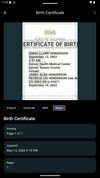
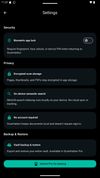
Privacy-first document scanner for Android. Scan, organize, and export multi-page PDFs with AES-256 encryption, biometric lock, and searchable PDF support. No ads, no cloud required.




Cost / License
- Freemium (Pay once or Subscription)
- Proprietary
Platforms
- Android

Features
Highlights All activities
ScanHarbor News & Activities
Recent activities
 Croco Loki added ScanHarbor as alternative to PDFgear Scan
 yuvalf added ScanHarbor as alternative to Yfolio AI
- Nam Pham liked ScanHarbor
- RichfieldLabs liked ScanHarbor
- RichfieldLabs added ScanHarbor
- Paul updated ScanHarbor
 RichfieldLabs added ScanHarbor as alternative to Adobe Scan, FairScan, OSS Document Scanner, MakeACopy and 31 more


Developed by
 Richfield Labs
 Licensing
Proprietary and Freemium product.Pricing
One time purchase that costs $25, and / or subscription ranging between $3 and $15 per month + free version with limited functionality.Alternatives
37 alternatives listedBadge
Get an embeddable badge for ScanHarborSupported Languages


Android apps
A list with 174 apps by namdx1987 without a description.

No comments or reviews, maybe you want to be first?