Inquisite is a note-taking site that makes creating, searching, organizing, and importing/exporting simple and easy


Doit.io is described as 'Doit is the new and easy way to get organised. Take notes, manage projects, share ideas, and collaborate - all in one place' and is a Note-taking tool in the office & productivity category. There are more than 100 alternatives to Doit.io for a variety of platforms, including Web-based, Windows, Mac, Linux and SaaS apps. The best Doit.io alternative is Trello, which is free. Other great apps like Doit.io are Zim, AFFiNE, TiddlyWiki and CherryTree.
Inquisite is a note-taking site that makes creating, searching, organizing, and importing/exporting simple and easy


ConstEdit word processor is a Google Chrome / Microsoft Edge web browser extension. It writes doc in the html format, which is the standard internet webpage format. Documents written are therefore directly viewable with any web browsers.


AllAnswered provides an all-in-one knowledge management system including an advanced Wiki and Questions & Answers (Q&As) with built-in workflow and knowledge life-cycle management to keep your knowledge base up-to-date.


Mellel is a sophisticated, time-tested and reliable word processor, especially designed to handle long and complicated documents, books, manuscripts, dissertations, and more.


Slab is a knowledge hub for the modern workplace. We help teams unlock their full potential through shared learning and documentation. Slab features a beautiful editor, blazing fast search, and dozens of integrations like Slack, GitHub, and G Suite.


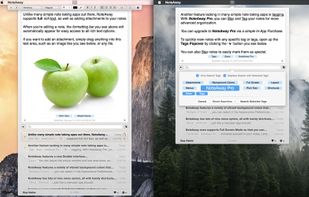
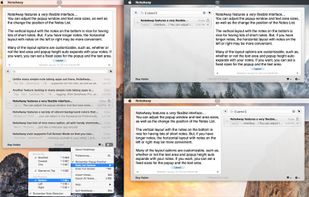
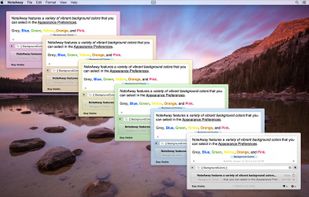
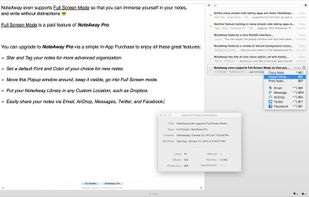
NoteAway is the simplest, most convenient way to take quick notes on OS X. NoteAway has lots of powerful features for free, like iCloud syncing, rich text, attachments, simple import/export, and a variety of customizable options.


AbleWord is a very capable word processing application that can read and write most popular document formats including PDF's.

TreeNoote is a brand new note-taking program, free, secure and available in a portable version.


There is no need for bulky software that requires time and energy to maintain and setup. After installation, just click the save button and let SF·SO maintain your backups, revision history, and more without any intrusions whatsoever.