DisplayFusion Alternatives

DisplayFusion is described as 'Provides multi-monitor taskbars, customizable window management, advanced wallpaper options, and free basic features for efficient screen control' and is a very popular Window Manager in the os & utilities category. There are more than 25 alternatives to DisplayFusion for a variety of platforms, including Windows, Mac, Linux, Google Chrome and PortableApps.com apps. The best DisplayFusion alternative is Rectangle, which is both free and Open Source. Other great apps like DisplayFusion are Dual Monitor Tools, SnapZones, AquaSnap and Dual Monitor Taskbar.

filter to find the best alternatives

DisplayFusion alternatives are mainly Window Managers, but if you're looking for Application Launchers or Remote Desktop Tools you can filter on that. Other popular filters include Free, Mac, Linux, Windows + Free and Windows. These are just examples - use the filter bar below to find more specific alternatives to DisplayFusion.
Copy a direct link to this comment to your clipboard
DisplayFusion alternatives page was last updated

Alternatives list

  1. Stack WM icon
     1 like
    Copy a direct link to this comment to your clipboard

    Stack is a productivity tool, that helps managing multiple open windows. It is most useful on big screens, very wide screens and multiple monitor configurations.

    Cost / License

    • Pay once
    • Proprietary

    Application type

    Platforms

    • Windows
     
  2. Wins icon
     2 likes
    Copy a direct link to this comment to your clipboard

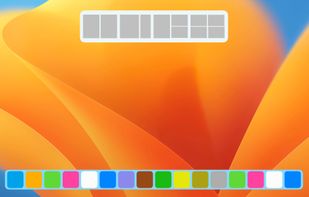
    Wins is a Windows Manager, which brings system-level arrange window features to Mac.

    Cost / License

    • Pay once
    • Proprietary

    Application type

    Platforms

    • Mac
     
  3.  1 like
    Copy a direct link to this comment to your clipboard

    DFMirage is "cutting edge" video driver mirroring technology for the Windows. It is a driver for virtual video device managed at DDML level of the graphics system that exactly mirrors the drawing operations of one or more physical display devices.

    Cost / License

    • Free
    • Proprietary

    Application type

    Platforms

    • Windows
     
  4. Copy a direct link to this comment to your clipboard

    A simple yet powerful tool for managing and switching between multiple screen profiles. Perfect for users with multi-monitor setups!.

    Cost / License

    • Free
    • Open Source

    Platforms

    • Windows
     
  5. Hyperfocused icon
     1 like
    Copy a direct link to this comment to your clipboard

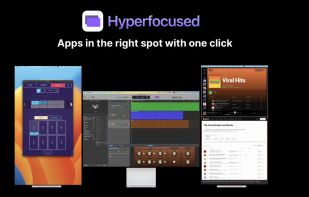
    Apps in the right spot with one click.

    Cost / License

    • Pay once
    • Proprietary

    Application type

    Platforms

    • Mac
     
  6. TaskLayout icon
     6 likes
    Copy a direct link to this comment to your clipboard

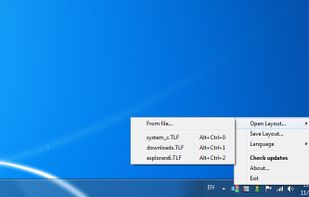
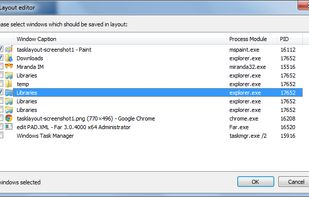
    TaskLayout is a small portable layout manager which allow saving/restoring of desktop layout (a set of specified apps/windows with corresponding position on screen) in a single click/hotkey.

    Cost / License

    • Pay once
    • Proprietary

    Application type

    Platforms

    • Windows
     
  7. Copy a direct link to this comment to your clipboard

    Annoyed again because one of your apps is offscreen? Do you have to struggle with keyboard shortcuts, to bring it back or do they not work again? Borderline moves all windows back into the screen bounds.


    Cost / License

    • Free
    • Proprietary

    Application type

    Platforms

    • Windows
     
  8. MultiMon icon
     6 likes
    Copy a direct link to this comment to your clipboard

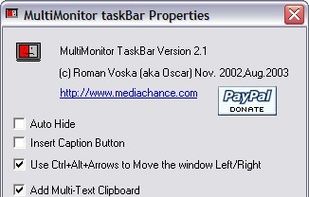
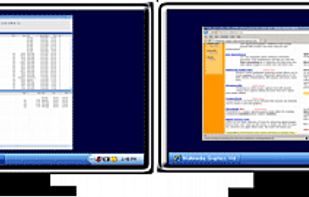
    MultiMonitor TaskBar A shiny new windows task Bar for your multiple monitors!.

    Cost / License

    • Free Personal
    • Proprietary

    Platforms

    • Windows
     
  9. X-tile icon
     2 likes
    Copy a direct link to this comment to your clipboard

    X-tile is an application that allows you to select a number of windows and tile them in different ways. It works on any X desktop like Gnome, KDE, XFCE, LXDE. The main features are: many tiling geometries, undo tiling, invert tiling order, optional system tray docking and menu...

    Cost / License

    • Free
    • Open Source

    Platforms

    • Linux
    • Xfce
     
  10. LumoTray icon
     4 likes
    Copy a direct link to this comment to your clipboard

    LumoTray is a 3 in 1 Windows app app that sits in your tray/notification area and allows you to create a custom menu, configure your desktop background as well as select from several fullscreen/screensaver modes.

    Cost / License

    • Free Personal
    • Proprietary

    Platforms

    • Windows
     
You are at page 4 of DisplayFusion alternatives